
Do you often struggle to understand complex information or lengthy content? If so, there is an AI tool that can help you easily understand complex information by transforming the material into clear interactive visual diagrams. This article reviews MyLens AI, a visual thinking tool that transforms almost any content into interactive, editable visuals. With MyLens AI, you can turn any content into visual diagrams.
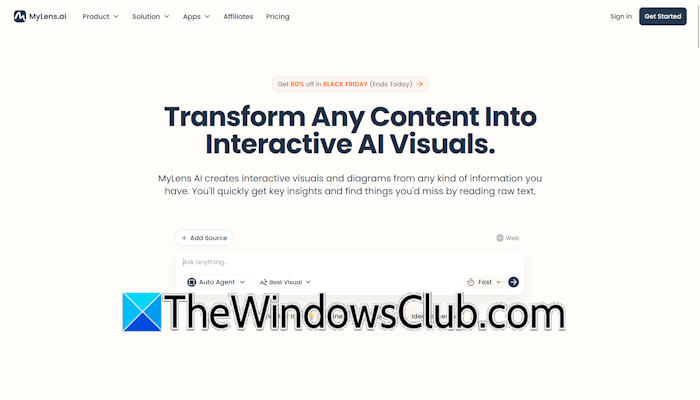
MyLens AI: Turn any content into interactive visual diagrams and insights
MyLens AI is a visual thinking tool that enables users to turn any content into visual diagrams for a clearer and better understanding. It supports multiple file types, including PDFs, web pages, YouTube videos, images, and more. You have to upload your content and select a visual format. MyLens AI will turn your content into an editable visual format, making it faster, clearer, and more intuitive to understand.
By turning information into visual clarity, MyLens AI helps users grasp complex topics at a glance, discover hidden patterns, and retain information better through visual learning.
Key features of MyLens AI
The following are the key features of MyLens AI.
- Multiple input formats
- Diverse visualization types
- Interactive and editable visuals
- YouTube video summarization
- Chrome extension
- Story-based interface
- Key insight extraction
- Advanced visualizations
Let’s talk about these features in detail.
1] Multiple Input Formats
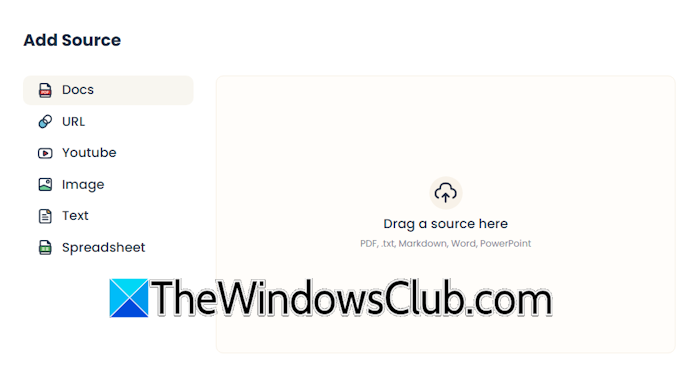
MyLens AI supports multiple file formats, including text, docs, images, PDFs, webpages (via URLs), YouTube videos (through URLs), spreadsheets, and more. Adding a file is also easy. Simply click on the Add Source button and select the file from your computer.
2] Diverse Visualization Types
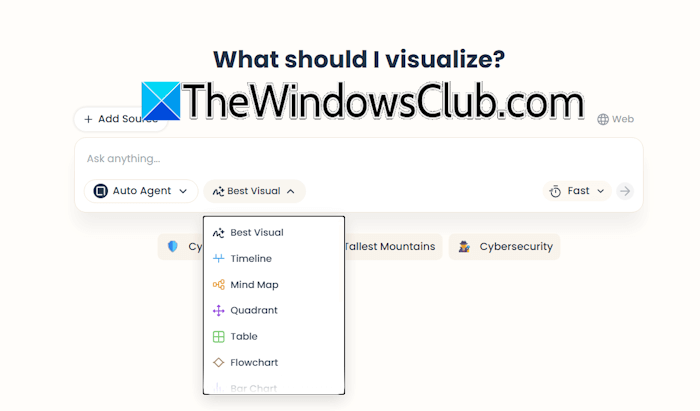
MyLens AI can generate visualizations in multiple formats, including timelines, mind maps, quadrants, tables, flowcharts, bar charts, donut charts, line charts, boards, and more. Such diverse visualization types allow users to select the best visual style to enhance clarity. After adding the source file, you can select a visualization style based on your requirements.
3] Interactive and editable visuals
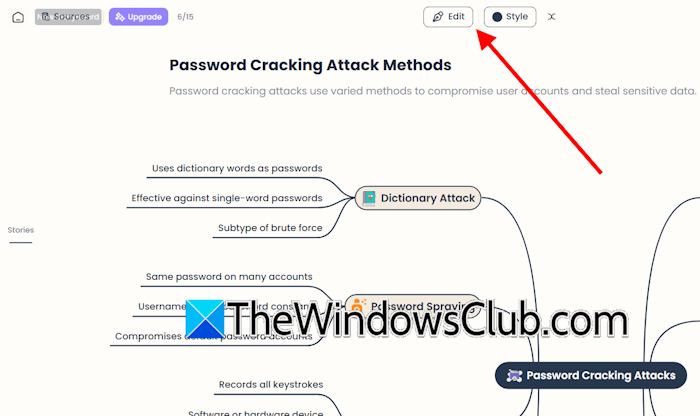
Users can manipulate, customize, and refine generated diagrams. The visuals generated by MyLens AI are not static. You can customize them later based on your requirements and knowledge. It allows you to expand nodes, reorganize branches, edit content, and customize style and layout. To edit a visual, click on the Edit button.
4] YouTube video summarization
MyLens AI is a powerful tool that summarizes YouTube videos and converts them into interactive timelines showing key moments. It extracts key moments from a video and generates a timeline, so you can quickly jump to the required information instead of watching the full video.
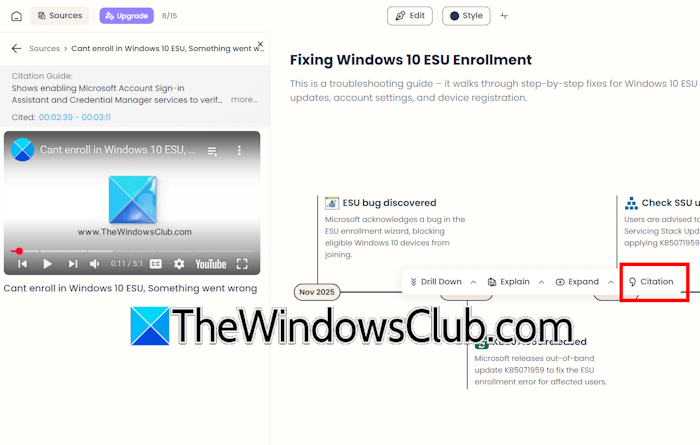
If the timestamp is unavailable in a YouTube video, you can still jump directly to the specific part you want to watch, skipping the irrelevant sections. For this, click on the specific part on the timeline and then click Citation.
You can also use the Citation feature in other source files, such as PDFs. When you click Citation within a specific section of the visual diagram, MyLens AI will take you directly to the exact location in the original source file from which that information was extracted.
5] Chrome extension
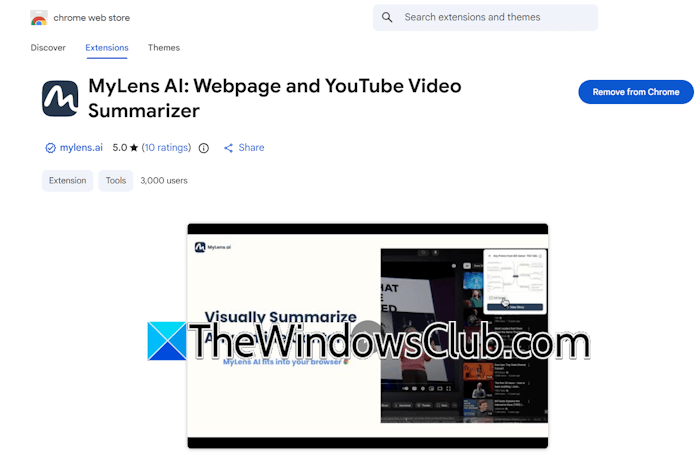
MyLens AI is also available as a Chrome Extension for quick webpage and video summarization. Since it is available as a Chrome extension and Google Chrome is a Chromium-based web browser, you can also install its extension on other Chromium-based web browsers, such as Edge and Brave.
6] Story-based interface
MyLens AI presents a workflow in a story-based interface. Chatbot interactions and the content you input are called stories, and the visual outputs are called storyboards.
7] Key insight extraction
Since MyLens AI organizes information visually, it makes hidden patterns and information easily visible that could be missed by reading text alone.
8] Advanced visualizations
Thanks to the advanced visualization types, users can transform complex information into clear, structured, and easily understandable insights.
Core use cases
Some of the core use cases of MyLens AI are as follows:
Visual learning and comprehension
MyLens AI can be a useful tool for both students and teachers. Students can turn their textbooks, research papers, lecture notes, PDFs, and YouTube lectures into visual diagrams for better understanding of concepts. On the other hand, teachers can use this tool to enhance the quality of their lectures and develop highly effective and well-structured notes for their students.
Content research and analysis
Marketers, researchers, and analysts can use this tool to quickly extract insights from long-form content, speeding up content review, comparison, or analysis for writing or decision-making.
Video consumption efficiency
Professionals and students generally do not have enough time to watch complete YouTube videos. With MyLens AI, they can jump directly to the relevant parts of the video instead of watching the entire video. In this way, this tool can help them save time.
Meeting and presentation preparation
Manual review of meeting notes to extract key information consumes significant time and resources. MyLens AI quickly extracts information from meeting notes and converts them into visual diagrams, so you can digest information in less time.
Knowledge management
It organizes information from multiple sources and structures it into a visual knowledge base, including mind maps, timelines, flowcharts, concept trees, and more. This information is useful for project planning, revision, documentation, and research.
Data analysis learning
MyLens AI is a helpful tool for data science students and professionals. Its ability to turn content into visual diagrams, such as charts, tables, and more, helps data science students and professionals spot trends and anomalies.
MyLens AI Pricing
MyLens AI offers the following pricing plans:
- Free
- Pro
- Growth
- Enterprise
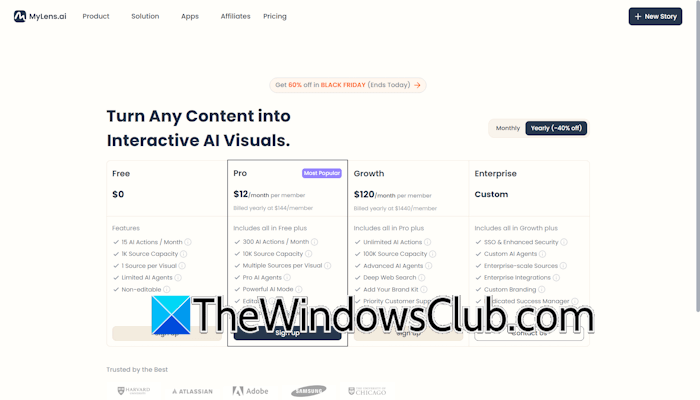
The Free plan offers 15 AI actions per month, a 1000 words processing limit from the source file, one source per visual, limited AI agents, and non-editable visuals.
The Pro plan offers 300 AI actions per month, 10000 words processing capacity from the source files, powerful AI mode, and access to pro AI agents. You can also upload multiple source files per visual in the Pro plan. All the generated visuals are editable, and the download and share features are also available.
The Growth offers unlimited AI actions and up to 100K words processing limit from the source files. Advanced features such as deep web search and access to advanced AI agents are also available on the Growth plan. Users with a subscription to the Growth plan will also get priority customer support. All the features available in the Pro plan are also included in the Growth plan.
The Enterprise plan is a custom pricing plan designed for large enterprises. It includes all the features in the Growth plan plus advanced features. The advanced features include SSO and enhanced security, custom AI agents, enterprise-scale sources, enterprise integrations, custom branding, and a dedicated success manager. For the Custom plan, contact their customer support team.
For more information about the pricing structure, visit their official website.

Leave a Reply