
FineVoice AI is an all-in-one AI voice generation platform that helps you create realistic human voices, sound effects, and background music. The powerful AI voice cloning, voice changer, and AI podcast generator tools are available on one platform. This platform is designed for content creators. In this article, we will review FineVoice AI and discuss its features, use cases, and pricing plans.
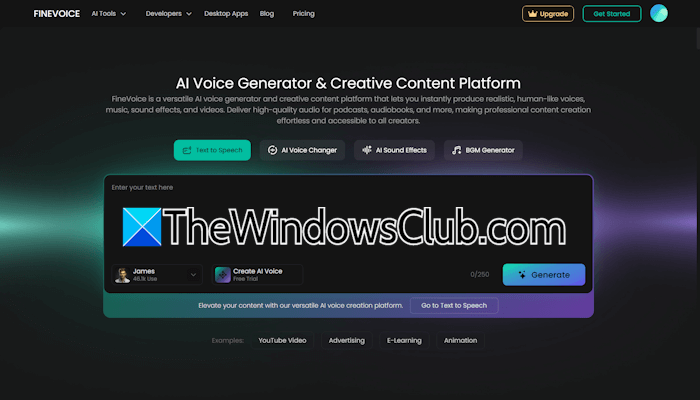
FineVoice AI: Powerful AI voice cloning and voice generator tool
FineVoice AI offers powerful AI voice cloning technology that allows users to replicate human voices with high accuracy. This feature is highly useful for content creators, as they do not need to record voiceovers for every video. Instead, they can use their cloned voice and save time in recording voice-overs. It also includes voice customization, allowing you to adjust the tone, pitch, and style of the generated voiceovers.
Core features of FineVoice AI
Let’s discuss the core features of FineVoice AI.
- Voice design
- Voice cloning
- Text-to-speech
- AI sound effect generator
- AI background music generator
- AI talking photo
- AI voice translator
All these features are explained in detail below.
1] Voice design
The voice design feature allows you to design unique AI voices by entering text prompts. You can effortlessly customize tone, pitch, speed, and vocal style to fit any creative style.
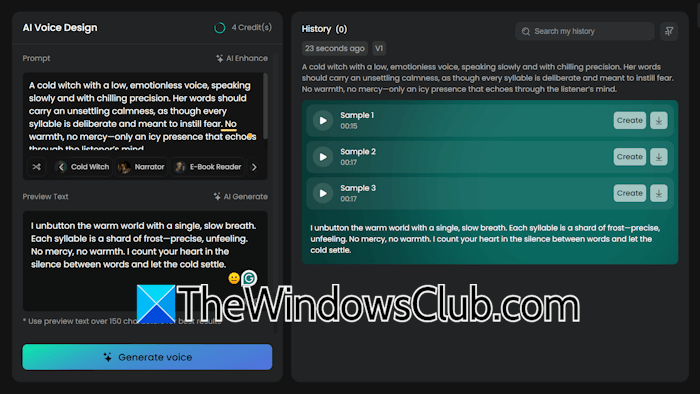
To design a voice, you have to enter a prompt in the prompt box. Some ready-made voice styles are also available for your use, including a cold witch, a cartoon character, a young knight, a narrator, etc. When you select any of these voice styles, its corresponding prompt will automatically appear in the prompt box. You can read that prompt to get an idea for voice designing. In the Preview Text box, you have to enter the required text. When you are done, click the Generate voice button.
This feature is useful for creators who produce content such as storytelling videos, horror or animation, audiobooks, etc.
2] Voice cloning
This is a powerful feature of FineVoice AI. Unlike other AI tools, it can clone your voice in one minute, and no training is required. Also, you do not need a long audio clip to clone a voice. Using just a 30-second-long audio clip, you can perfectly clone your own or any voice in under one minute. The voice cloning feature is available in 154 languages with accents to deliver authentic and natural voice replication.
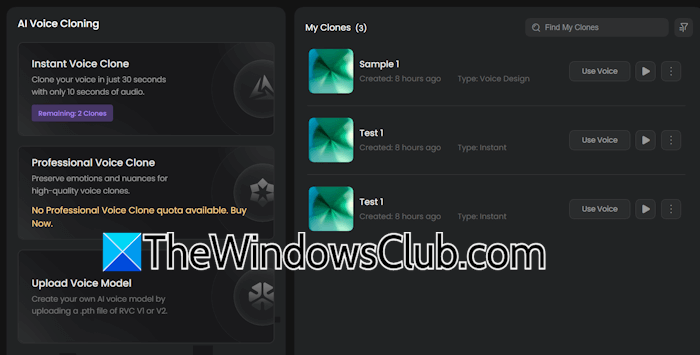
Two modes for voice cloning are available:
1. Instant Voice Clone and Professional Voice Clone. The Instant Voice Clone is available for free users, and they can clone up to 5 voices under the free plan. It clones a voice in just 30 seconds with just 10 seconds of audio.

2. The Professional Voice Clone is available under the paid plan. It preserves emotions and nuances for high-quality voice clones.
3] Text-to-speech
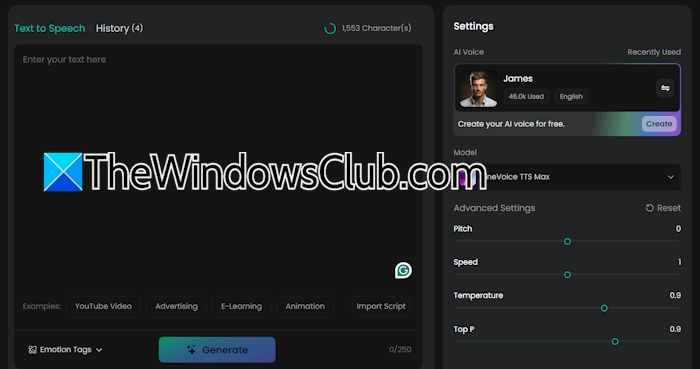
The Text-to-speech feature allows you to transform written text into AI-generated voices. Unlike some AI tools, FineVoice AI’s text-to-speech feature comes with emotion tags and generates emotionally expressive AI voices. Using this feature, you can generate emotionally rich, lifelike AI voices.
4] AI sound effect generator
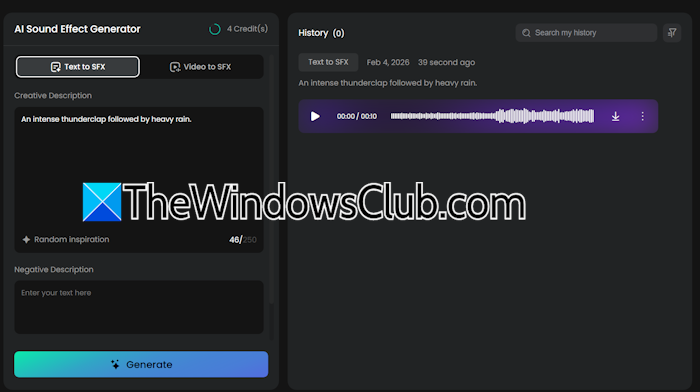
With the AI sound effect generator, you can generate high-quality SFX audios. Here, you will get two options to generate sound effects: Text to SFX and Video to SFX. For each of these options, you can write a negative prompt. When you are done, click Generate.
5] AI background music generator
The AI background music generator allows you to generate background music for your videos. Background music plays an important role in content creation. It helps set the emotion of the content and keeps viewers engaged in the video. When a video gets a high engagement, the YouTube algorithm pushes that video to a greater number of audiences, which ultimately leads to high views.
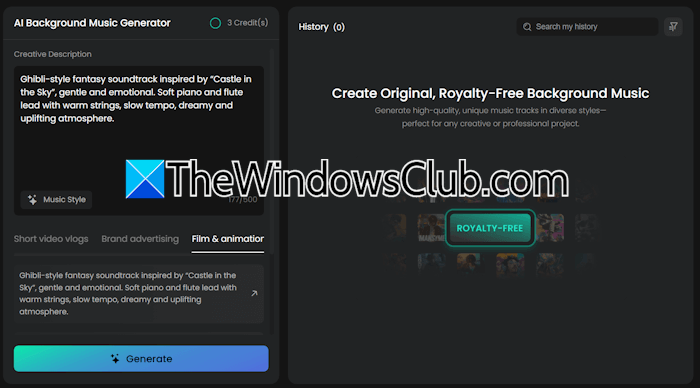
Write the description for the background music in the required prompt box, select the required music style, and click Generate. FineVoice will generate royalty-free background music for you.
6] AI talking photo
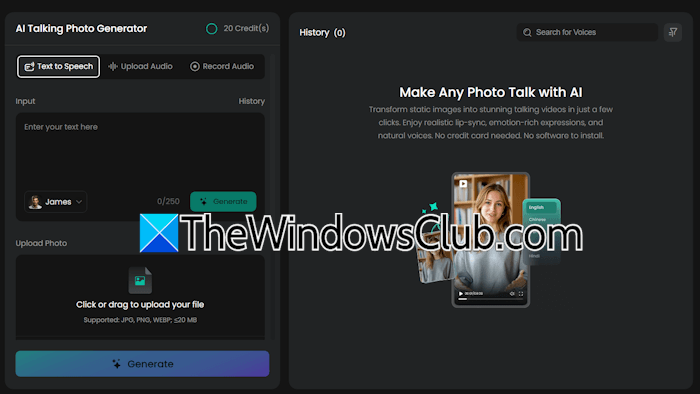
The FineVoice AI platform offers an AI talking photo feature that converts any photo into a talking AI avatar. Now, you do not need to subscribe to a separate AI tool or platform to create AI talking avatars.
7] AI voice translator
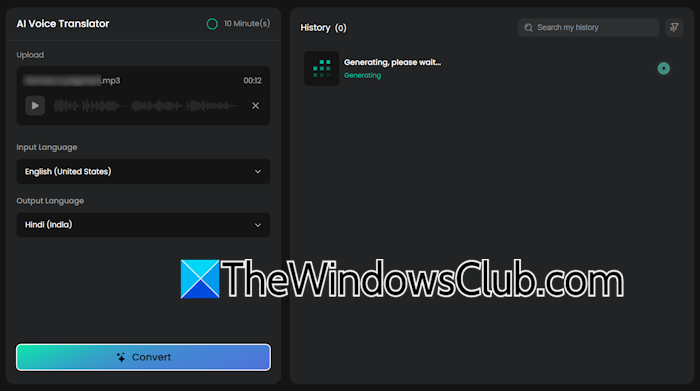
With FineVoice AI’s voice translator feature, language is no longer a barrier. You can easily convert audio from one language into another language. Simply upload the audio file, choose the input and output languages, and click Generate.
Pricing plans
FineVoice AI offers the following four pricing plans for now:
- Free
- Basic
- Pro
- Enterprise
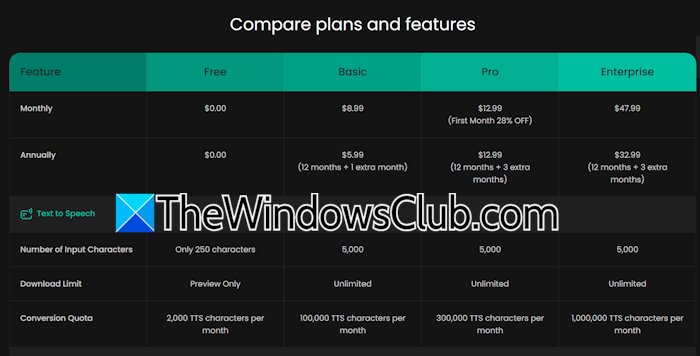
When you sign up and create an account on the website, you will be under the free plan. The free plan also offers good features, including 250 input characters for text-to-speech, 5 AI voice designs, 5 instant AI voice cloning, 30 text-to-sound effects, 20 video-to-sound effects, and more. In the free plan, you can only preview the generated AI voices.
The basic plan includes up to 5000 characters for text-to-speech, 10 AI voice designs, 50 instant AI voice clones, 5 professional AI voice clones, 100 text-to-sound effects, 60 video-to-sound effects, and more.
The pro and enterprise plans offer higher usage limits than the free and basic plans. You can get complete information about the pricing plans of FineVoice AI by visiting the FineVoice official website.
FineVoice AI: Empowering all Creators
FineVoice AI is an all-in-one AI platform offering a range of AI services, including text-to-audio generation, AI voice cloning, AI sound effects, AI background music, and more.
Its high accuracy makes it suitable for content creators. Whether you are a video creator, podcaster, educator, or brand marketer, this platform will amplify your content with richer vocal expression and tailored sound design.
FineVoice AI
Overall
-
Features and Functionalities
(4.5)
-
AI Sound Quality
(4.5)
-
Context & AI output quality
(4.5)
-
Performance & speed
(4.5)
Summary
FineVoice AI, a powerful voice generator & AI voice cloning tool, highlighting its features, use cases, and pricing.
