
Working on a spreadsheet with a huge dataset is time-consuming, especially when it contains complex formulae. AI assistants, like ChatGPT or Gemini, are useful for getting suggestions for an Excel file. However, it still requires users to do manual work even after using these AI tools for their Excel Spreadsheets. Users usually have to copy and paste data between the AI chat interface and the Excel spreadsheet, a process prone to errors. Additionally, it creates formatting issues and slows down productivity. This is where Shortcut AI stands out. This article reviews Shortcut AI, an Excel AI agent.
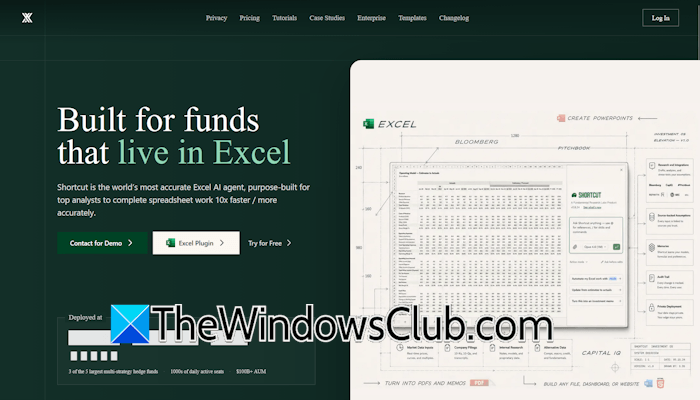
Shortcut AI: An Excel AI Agent
Shortcut AI is an AI-powered agent for Microsoft Excel that builds and edits spreadsheets autonomously. Traditional methods of editing an Excel spreadsheet are time-consuming and prone to errors, even if you use the most advanced AI models, such as Gemini and ChatGPT. This is because these tools are not integrated into Excel, so you need to copy and paste data between your Excel spreadsheet and these AI models. Furthermore, using these AI agents with large datasets is more challenging, as they cannot directly make changes to thousands of rows and columns in a worksheet. Shortcut AI bypasses this limitation. As an Excel AI agent, it is available as a plugin that directly integrates it into your Excel worksheet.
Because it is an autonomous AI agent for Excel spreadsheets, it does not require you to copy and paste data. It executes complex calculations and formatting changes directly inside your Excel spreadsheet, making your tasks easier than before.
Key features of Shortcut AI
Let’s talk about the key features of Shortcut AI.
Autonomous Excel Agent
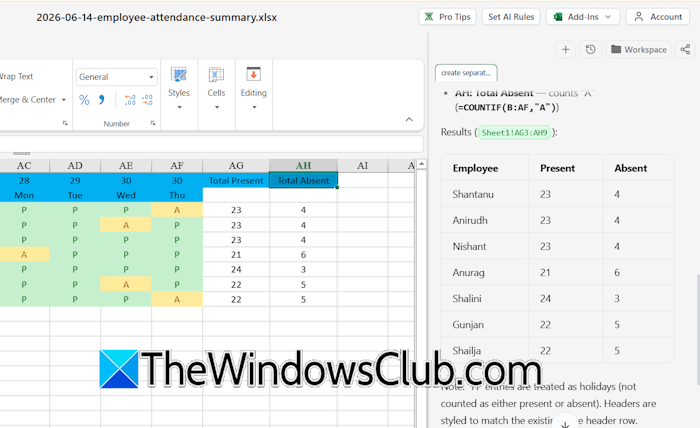
The biggest strength of Shortcut AI is its ability to serve as an autonomous spreadsheet assistant. Unlike traditional AI tools that can only suggest formulae or answer users’ questions, Shortcut AI can perform tasks right inside your Excel spreadsheet. It makes many things easier in Excel. You can edit an existing Excel spreadsheet or create a new one. Additionally, Shortcut AI can also help you fill empty data in your spreadsheet. For example, if you have created an attendance sheet of your employees, you can ask Shortcut AI to create separate columns showing the total present and absent days of each employee.
Professional-grade formatting
Raw data requires manual cleanup to make the datasheet presentable to clients. This manual work consumes a lot of time. Shortcut AI creates or edits spreadsheets with professional-grade formatting. Tables, layouts, formulae, report structures, and graphs are organized to make the spreadsheet suitable for client presentations and business environments. Every spreadsheet created by Shortcut AI matches the corporate presentation standards.
For example, if you want to create a quarterly sales report, you just need to enter the required data and provide the right prompt. Shortcut AI will generate a spreadsheet with properly aligned tables and structured sections, making it presentation-ready for direct client delivery.
Precise edits without overwriting data
This is one of the best features of Shortcut AI. If an AI tool overwrites data in a spreadsheet during editing, it will be a waste of time because users will have to edit the spreadsheet manually again. Shortcut AI edits a spreadsheet without overwriting the existing data. Instead of replacing entire sections, the system intelligently modifies only the requested cells while keeping their formatting unchanged.
For example, if an Excel spreadsheet contains a large number of rows, the user can ask Shortcut AI to update only duplicate records or modify the selected cells while keeping the rest of the cells unchanged.
Familiar Excel style interface
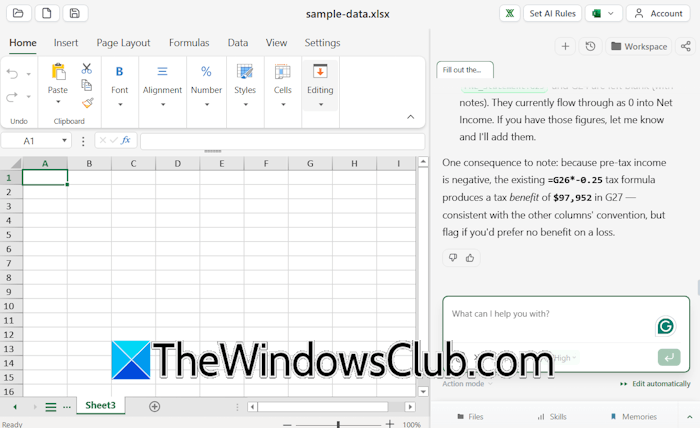
The interface of this platform is identical to Microsoft Excel. This gives users the feel of working with Microsoft Excel, even while they are working within the Shortcut AI interface. This interface makes the tool easy to adapt for professionals who work daily with Excel spreadsheets.
Formula generation and editing
Shortcut AI can automatically generate Excel formulae and fix existing ones when users need to make changes to complex Excel spreadsheets. This can save significant time for users working with advanced Excel calculations. Users can simply describe what they want, and Shortcut AI generates the required formula.
Data cleaning, organization, and analysis
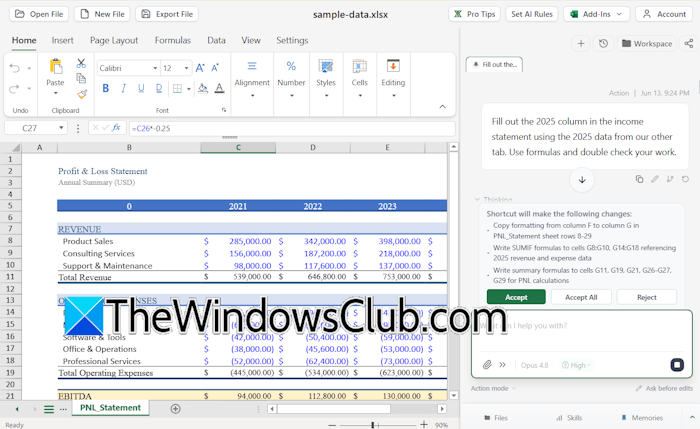
Large spreadsheets often contain duplicate values. Shortcut AI makes data cleaning, organization, and analysis easier. You just have to give a prompt, and the platform will handle the rest of the work by itself. For example, you can find and remove duplicate values and organize the dataset into a structured table.
Industry-standard spreadsheet output
This platform generates spreadsheets that meet professional business standards, allowing teams to directly use outputs for reports and presentations. You can export the file in Microsoft Excel format, making it shareable with anyone.
Use cases of Shortcut AI
Let’s talk about some use cases of Shortcut AI.
- Financial Modeling: It requires you to create a quantitative and structured representation of a business’s financial performance. Shortcut AI significantly reduces the time required to build complex financial models. Instead of creating spreadsheets manually, you can provide instructions and let the AI do the work.
- Data cleaning and organization: Large datasets usually contain duplicate entries, missing values, and inconsistent formatting. Fixing such issues manually is complex and also prone to errors. Shortcut AI can automatically clean spreadsheets within a fraction of the time.
- Report generation: Creating reports in Excel often requires lots of manual work to make the final result look clean and professional. Shortcut AI automates the process and generates professional reports within a few seconds.
- Formula creation: With Shortcut AI, you do not need to remember Excel formulae, as it can generate formulae automatically based on simple instructions.
- Template building: Businesses often require similar spreadsheet templates for invoices, budgeting, reporting, inventory management, etc. With Shortcut AI, you can automate the process and build consistent reusable templates without any formatting issues.
- Bulk spreadsheet editing: Editing bulk spreadsheets manually requires hours and also increases the risk of human errors. Shortcut AI can automate the process and save time while keeping errors to zero.
- Business operations automation: Organizations rely heavily on spreadsheets for core business operations and managing day-to-day work. With Shortcut AI, you can automate many business processes, such as repetitive tasks.
- Client-ready deliverables: Businesses often need polished spreadsheets which they can share with their clients directly. With Shortcut AI, they can generate such spreadsheets within a few minutes.
Shortcut AI Pricing plans
Shortcut AI is available in the following four pricing plans:
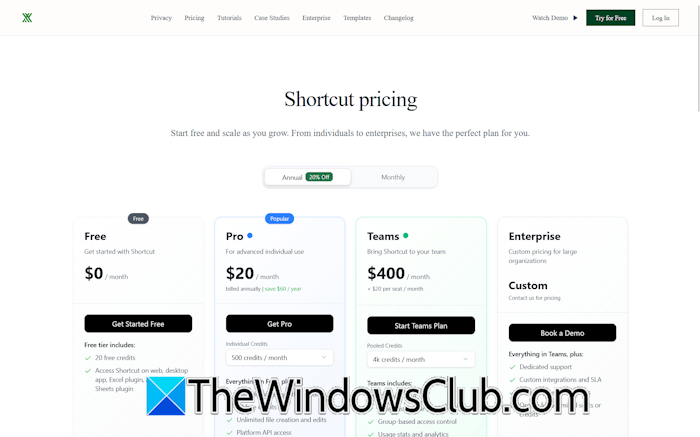
- Free plan: It gives you 20 free credits. Additionally, you can access Shortcut AI on the web, as a desktop app, Excel plugin, and Google Sheets plugin.
- Pro plan: It offers 200 to 32K credits per month. You can select individual credits in the Pro plan before making a purchase. Additionally, it offers platform API access and unlimited file creation and edits.
- Teams plan: In this plan, you can get from 500 to 32K monthly credits. Additionally, it offers enterprise-grade security, group-based access control, resources, and usage stats and analytics.
- Enterprise plan: The Enterprise plan is a custom plan that includes unlimited credits, dedicated support, custom integrations, and more.
For detailed pricing plans, visit their official website.

Leave a Reply