
Starting a business requires investment, so most businessmen manage everything on their own in the beginning. However, running a business alone means juggling dozens of tools, including emails, spreadsheets, CRM, chat apps, content docs, analytics, task trackers, and more. Switching among these tools and doing repetitive administrative tasks hampers productivity. Bika.ai is the best AI organizer that helps eliminate all these obstacles. This article reviews Bika.ai.
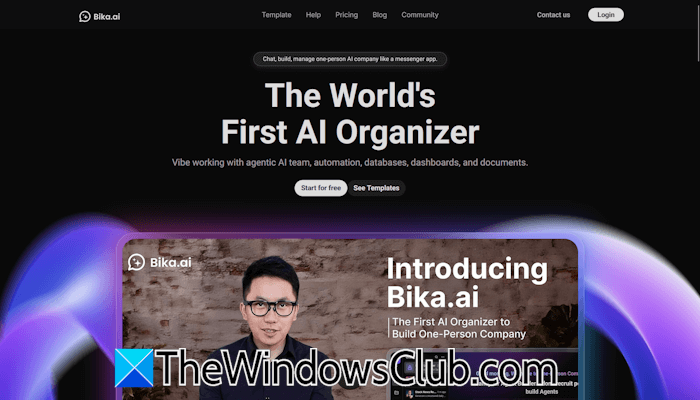
Bika.ai: The best AI organizer
Bika.ai is the world’s first AI organizer for vibe working. It combines AI agents, automation, databases, dashboards, and documents into one platform. The idea behind Bika.ai is that you can build and manage multiple virtual agents on one platform instead of manually coordinating with dozens of apps. These virtual agents can act as virtual teammates. In this article, we will explore Bika.ai, the best AI organizer. We will discuss its key features, real-world use cases, advantages, and limitations.
Key features of Bika.ai
The following are the key features of Bika.ai.
AI Agent Teams
You can manage Agentic AI Teams on this platform inside a chat-based interface. Think of this as a group of virtual coworkers accessible through the messenger.
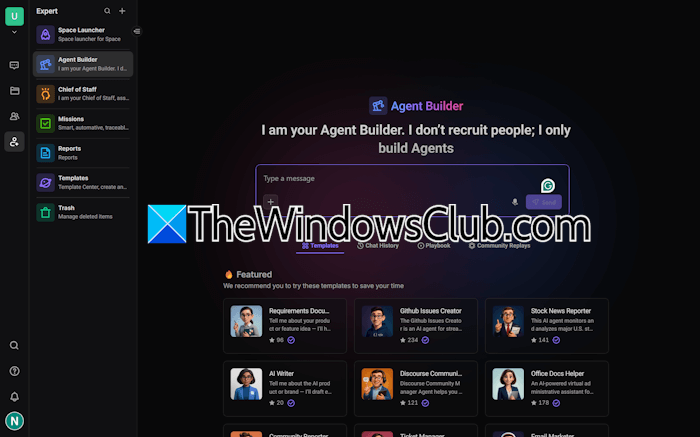
Bika.ai allows you to create different AI agents for different tasks, such as:
- Marketing automation for generating campaigning drafts, scheduling posts, sending bulk emails, etc.
- Lead management and sales follow-up.
- Getting research support.
- Drafting a document or generating a product requirement report.
Automation capabilities
Bika.ai is not simply an AI conversational platform, but a complete automation suite. With Bika.ai, you can build condition-based workflows, schedule tasks, automate follow-ups, generate reports, and do much more.
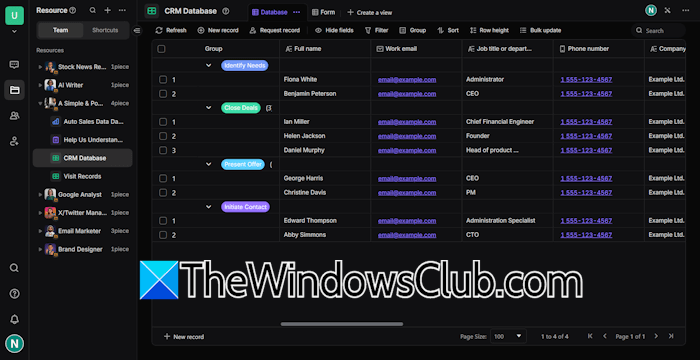
The following examples show its automation capabilities:
- Marketing automation: You can schedule bulk email campaigns, social media posts, follow-up lead tracking automation, etc.
- Project management: You can create a custom AI agent for project management. With Bika.ai, you can also create a custom AI project issue and ticket management system.
- 5000+ app integrations: Bika.ai allows you to connect your AI agents with over 5000 external apps and services through the MCP tools ecosystem. You can utilize the MCP tools ecosystem to automate workflows, thereby eliminating manual tasks such as emailing, messaging, and payment systems. Hence, all the different tasks can run smoothly on one platform.
- No code resources: Bika.ai offers a no-code approach that makes automation accessible for non-tech users. Even being a non-tech user, you can create powerful, database-driven business apps without writing a single line of code. You can integrate your AI agents with your forms, database, dashboards, and documents to automate sales, marketing, customer service, and more.
- Organize agents like a messenger app: Being the best AI organizer platform, Bika.ai allows you to manage your AI agents as effortlessly as chatting with your team in a messenger app. Whether you want to analyze the current market trend, track progress, or generate a detailed report, simply type a message to Bika.ai and let it handle the rest.
Database and dashboard integration
Bika.ai has powerful database creation capabilities. Bika.ai is similar to most AI tools for organizing spreadsheets, such as Airtable. The primary difference between AI spreadsheet tools and Bika.ai lies in their main focus: Bika.ai is not primarily focused on a spreadsheet database. Instead, it is focused on tasks, reporting, and AI automation. You can consider Bika.ai a smart tool that uses your data to automate things with AI.
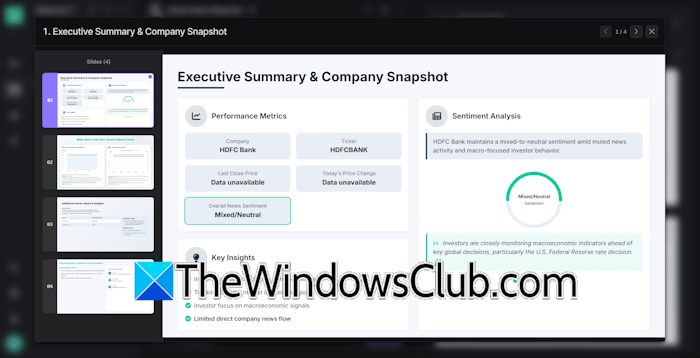
The integrated dashboards provide real-time insights to users, allowing them to monitor sales progress and track customer feedback. Users appreciate its robust databases as a standout feature compared to other tools available in the market.
User interface and experience
Bika.ai has a clean and user-friendly interface that makes it easy to use for non-tech users. Its messenger-style approach sets it apart from traditional business software. Whatever you want, just type your query and send it to the respective AI agent, and it will respond to you immediately.
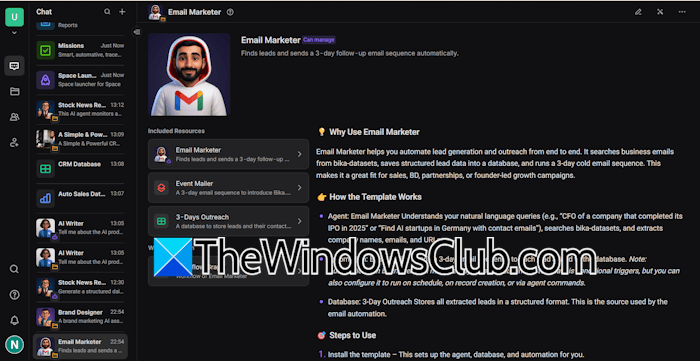
The smooth integration of daily tools, such as Microsoft Family, contributes to a seamless experience.
Document management and forms
Bika.ai also includes integrated document collaboration and form creation features. To create a new document, click on the Plus icon and select New Resource > New Document.
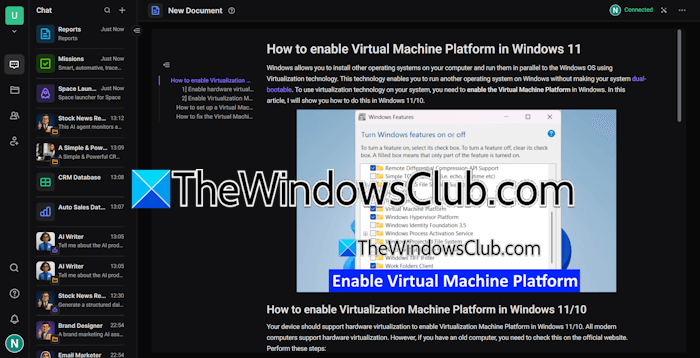
You can create multiple types of documents, like project documents, meeting notes, knowledge base articles, etc. It supports Markdown format. Type Slash (/) to insert the required content block. You can also paste the article from any website to your Bika.ai document. It automatically creates a Table of Contents for the document. You can also share the document for real-time collaboration and editing.
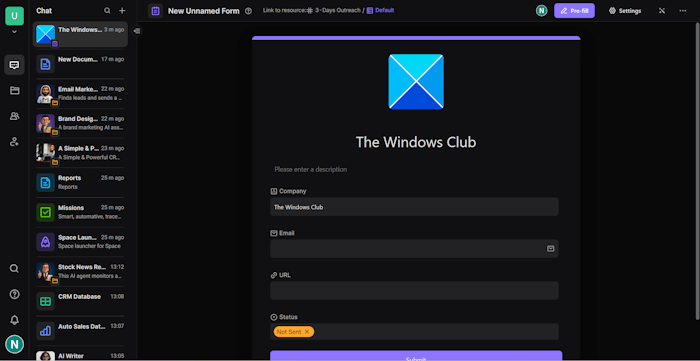
To create a form, click on the Plus icon and select New Resource > New Form. Now, you can edit the title and description of the form. An option to add a logo is also available. After configuring the form, you can publish it externally.
Use cases
Let’s discuss some of the use cases of the Bika.ai platform.
Recruitment and HR management
Bika.ai is also the best AI organizer platform for recruitment and HR management. Organizations can use the recruitment and related templates to optimize team hiring. Some of the templates are Simple Applicant Tracker, Interview Questions Builder, HR Team Project Tracker, etc.
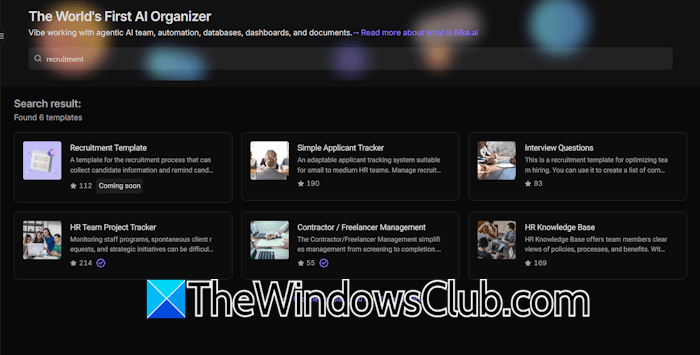
You can use templates for the recruitment process. For example, with the Interview Questions builder, you can create a list of common interview questions, and automation will remind you when the questions are submitted. You can easily evaluate the candidates’ responses, helping you select the right candidate for your organization.
Email and communication automation
Bika.ai offers various email templates to help automate your email communication system. You can send emails in bulk or configure email to task automation for support teams. A 7-day automated email marketing campaign and a 14-day automated cold email outreach campaign template are also available.
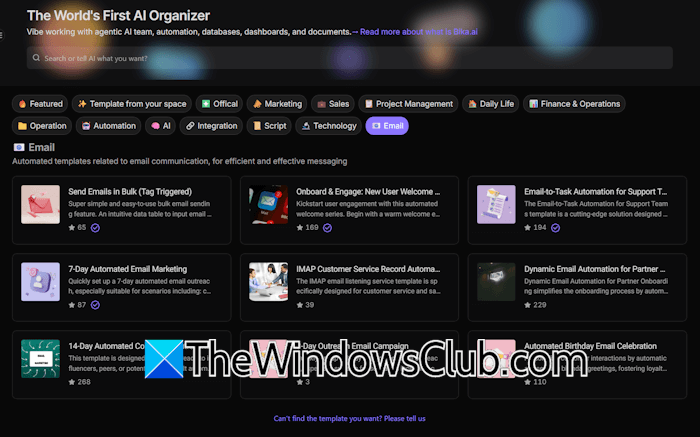
Every email template has a different use. Hence, they benefit users in various scenarios. For example, the email-to-task automation for support teams template is designed to monitor customer emails in the inbox in real time and convert them into tickets.
Cross-department coordination
With Bika.ai, you can create multiple AI agents with distinct roles. This is helpful, as you can assign different departments to different AI agents. For example, a Sales Agent can track new leads and automatically assign the follow-up tasks accordingly. A Marketing Agent can draft emails or social media posts and schedule them based on the lead activity and timing. A Research Agent can monitor analytics and provide data accordingly.
One-person company operations
Bika.ai makes one-person company operations possible. You can treat AI agents as virtual teammates and assign them different tasks. As a solopreneur, you can set up a lead management agent, a follow-up sales agent to automatically send follow-up messages, a marketing automation agent to draft campaigns and schedule posts, a support or ticket agent, etc.
Pricing
The pricing plans are available in the following two categories:
- For individuals and teams
- For self-hosted and enterprises
Free, Plus, Team, and Business plans are available for individuals and teams. Currently, the free plan offers 3000 daily AI credits, 5 GB of storage space, 10000 records per database, and more.
No free plan is available for self-hosted and enterprise. To get more details about the pricing structure, visit the official website.
Pros
- Simple and user-friendly platform with clean UI.
- Easy to set up and smooth integration of different AI tools and other apps.
- Robust databases and powerful automation
- Users highlight many amazing possibilities.
Cons
It offers limited customization options for specific users.

Leave a Reply