
Magic Studio is an AI image creator designed to help users generate, edit, and enhance images. The platform offers many great features, including AI image generation from text prompts, background removal, object removal, AI image upscaler, AI art generator, image converter, and more. This article reviews Magic Studio, an AI image creator for product photos, ads, and social media posts.
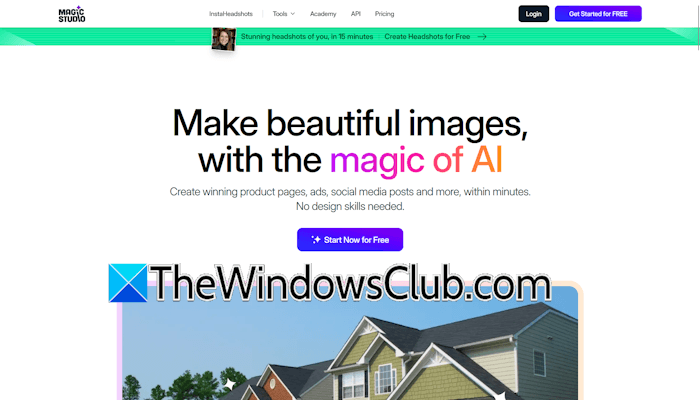
Magic Studio review: An AI image creator for product photos, ads, and social media
Magic Studio is an AI image creator and photo editor that enables anyone to create beautiful images, edit photos, and produce visual content for product pages, ads, and social media campaigns. It is aimed at creators, marketers, businesses, and general users who want to produce visual content without advanced design skills. The tool is powered by AI, making professional-quality visuals achievable for everyone.
The platform has reached a milestone of 18 million users globally, indicating its rising popularity across industries.
Key features of Magic Studio
The following are some of the key features of Magic Studio:
- Multi-platform availability and learning academy
- AI image creation
- Object addition and removal
- Insta Headshots
- Background removal and replacement
- AI photo editing
- Multiple AI styles
- High resolution downloads
- Unlimited editing
- No watermark exports
- Priority support
Let’s talk about these features in detail.
1] Multi-platform availability and learning academy
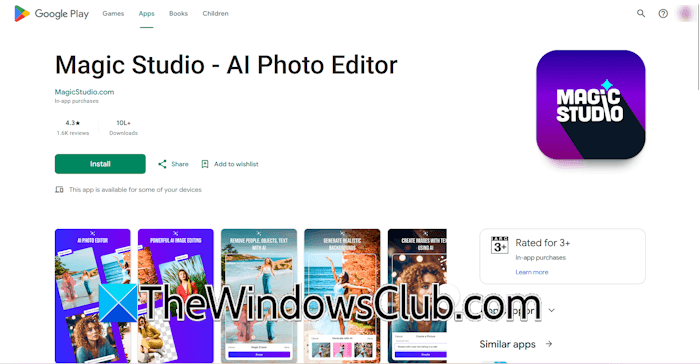
Magic Studio offers seamless access across multiple platforms, including web, iOS, and Android, enabling users to generate and edit images on the go. Moreover, the data is synced seamlessly across different devices, provided you are signed in with the same email ID.
2] AI image creation
With Magic Studio, you can generate stunning images with scratch for any purpose. You just have to enter the required prompt, and your image will be ready within a few seconds. To use the AI image creator tool, type the prompt inside the Description box, select the image format and image style, and then click Generate Image.
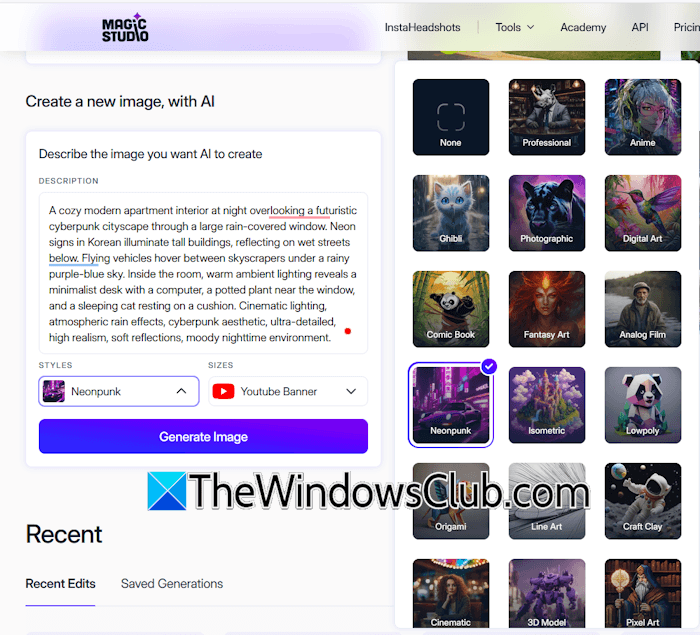
It supports several image formats, including square, landscape, portrait, Instagram post, Facebook ad post, Instagram story, TikTok post, YouTube banner, YouTube thumbnail, Facebook cover, Pinterest post, logo, and more. Additionally, you can also generate images in different aspect ratios, such as 1:2, 2:3, 16:9, 5:2, and more.
When it comes to image styles, you will have a variety to choose from, including professional, anime, fantasy art, analog film, neopunk, isometric, origami, and more.
3] AI photo editing
AI photo editing is a powerful feature of Magic Studio. While editing a photo with AI, you can do the following three things:
- Remove objects from the photo
- Remove or change background
- Add or change things, with text
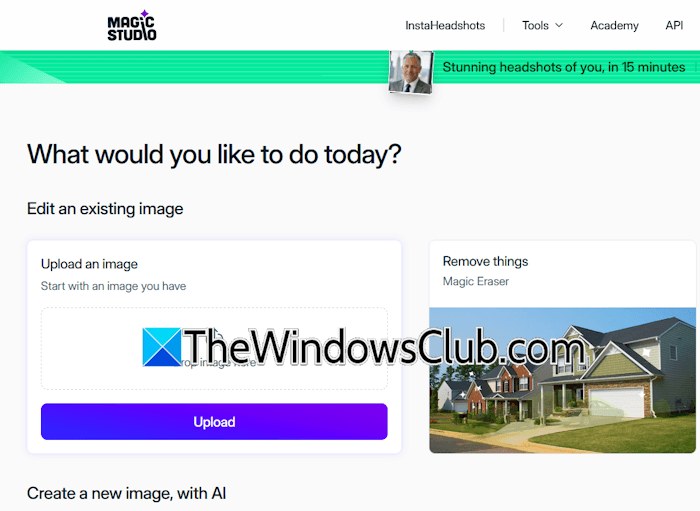
To use this feature, upload an image to the platform. After that, you will see the above-mentioned options. Select any of the options as per your requirements and proceed with the further instructions.
Let’s discuss all three features in detail.
Removing the background
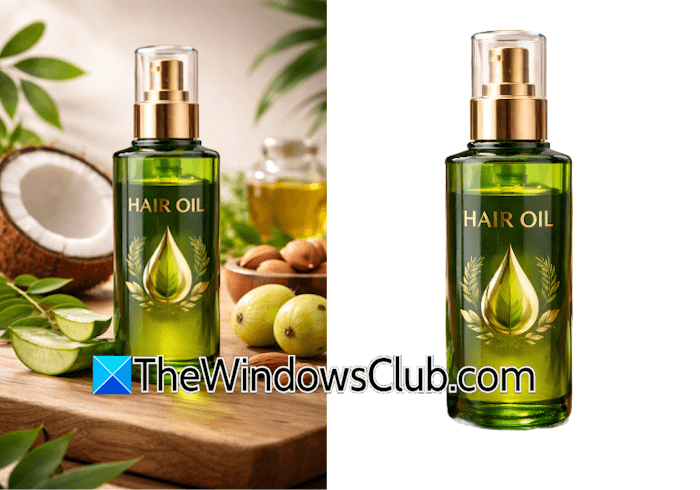
If you want to remove the background, click the Magic Backgrounds option. The tool will automatically detect the background and remove it within seconds. The above screenshot shows the image before and after background removal.
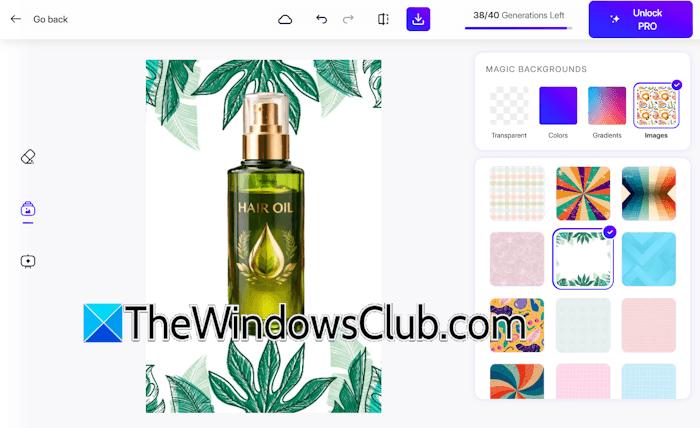
After removing the background, it shows you options for adding a new background to your image. You can add a solid color, a gradient color, and select from different images available on the platform. The option to add a custom background is not available for now.
Removing the objects
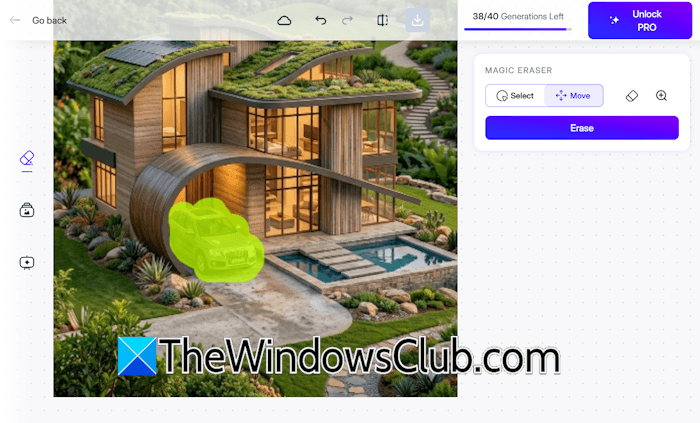
You can also remove objects from your image with Magic Studio. To remove an object, select the Magic Eraser option after uploading the image. The Magic Eraser tool will open. Now, highlight the object(s) you want to remove from the image using the brush. You can also change the size of the brush. When you are done, click Erase. The tool will erase the selected objects from your image within a few seconds.
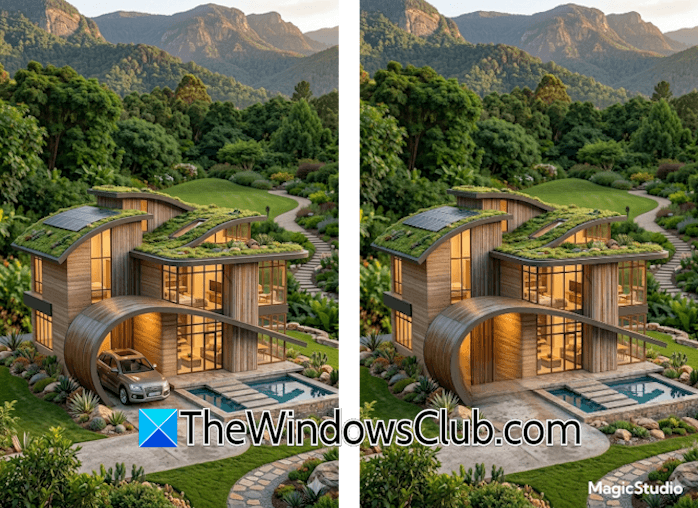
When you are done, you can download the edited image. I used this tool to remove the car from an image (see the above screenshot).
Adding the objects
Magic Studio also lets you add various objects to your images. To use this feature, select the Magic Draw option after uploading the image. The Magic Draw tool will appear. Now, use the brush to highlight the region in the image where you want to add an object. After that, describe the object you want to add to your image and click Draw. The object will be added to the image within a few seconds.
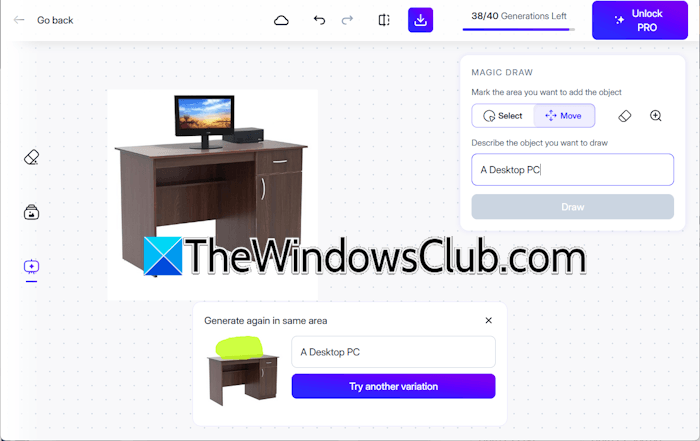
You can also try another variation of the added objects. I used it to add a Desktop PC to a table. You can clearly see it in the above screenshot.
4] Unlimited image editing
Magic Studio offers unlimited image editing. Credits will be deducted only when you generate an image. Image editing requires no credits. Whether you want to remove or blur the background, remove an object, or add an object, there is no usage limit, even for users with a free account.
5] AI Art Generator
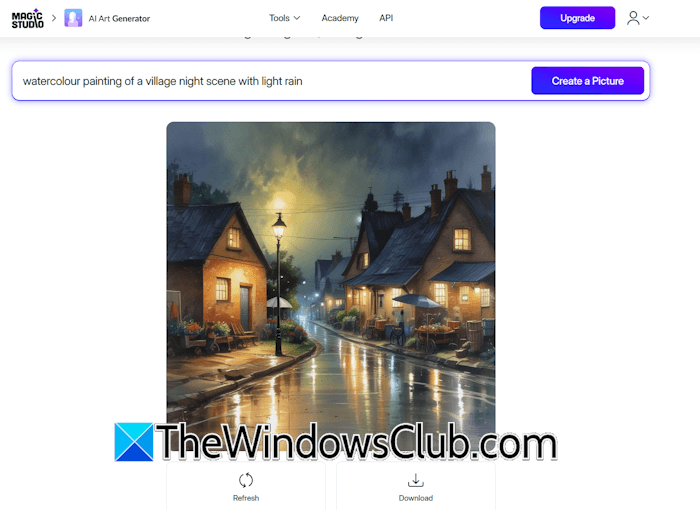
Magic Studio also features an AI Art Generator tool that lets you create stunning artistic images. To use this tool, click the Tools menu and then select AI Art Generator. Now, type the prompt and click Create a Picture. You can generate unlimited AI art with Magic Studio. No credits will be deducted for AI art generation.
6] Unlimited image conversion
This platform also offers unlimited image conversion. Currently, it supports the following image conversions:
- HEIC to JPG
- WEBP to PNG
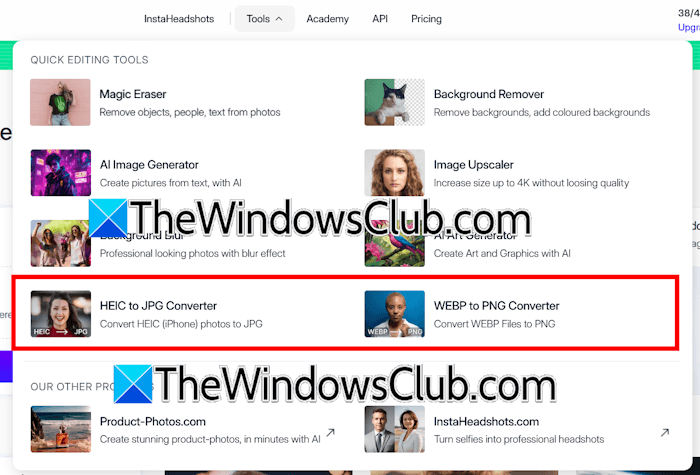
Select the required tool and upload the image. It will automatically start converting your image. After conversion, you can download it.
7] Insta Headshots

Insta Headshots is a powerful feature of this AI image generator platform that allows you to turn your selfies into professional headshots.
8] Image Upscaler
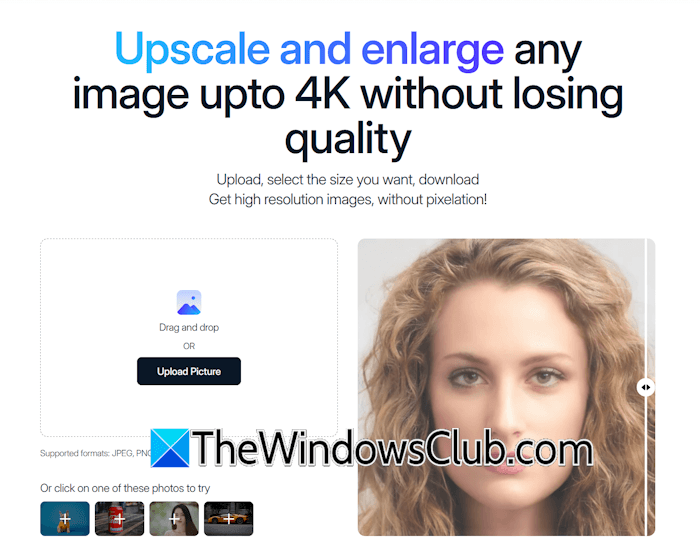
You can upscale your images up to 4K resolution with AI. However, this feature is not available to free users. To use this feature, you need to upgrade to the Pro plan.
Core use cases
The following are some of the core use cases of Magic Studio:
- Product photography: You can create beautiful and clear product images for your ecommerce pages and online stores.
- Advertising creatives: Generate eye-catching visuals for digital ad campaigns across platforms. This will help you generate leads and increase the conversion rate.
- Social media content: Social media platforms play an important role in brand promotion. With Magic Studio, you can create engaging images for different social media platforms, like Instagram, Facebook, etc.
- Editing: Convert your selfies into professional headshots and give your resume a professional touch. For your brand, you can create stunning product shots.
- Personal projects: You can edit personal photos, create artistic images, and experiment with different AI-powered tools.
- Brand asset creation: No need to hire dedicated designers for your projects. Magic Studio lets you generate high-quality on-brand visuals.
- Ecommerce optimization: If you want to get a high conversion rate for your products, their images should be of the highest quality. With Magic AI, you can enhance your product images up to 4K resolution, making them perfect for marketplace listings and store pages.
Photoshop is great software for image editing. However, it requires a deep knowledge and skill. Beginners cannot use it to edit images. Magic Studio is an alternative to Photoshop because it does not require advanced skills to generate stunning visuals. At a reasonable price, you will get an AI-powered tool that offers an alternative to complex ad creation and expensive social media tools.
Pricing structure
Magic Studio offers free and Pro plans. The Free tier comes with core AI editing and creation capabilities. The Pro subscription unlocks the full power of AI editing and creation, including exclusive PRO tools and styles, high-resolution downloads, unlimited editing, no watermarks or ads, and priority support.
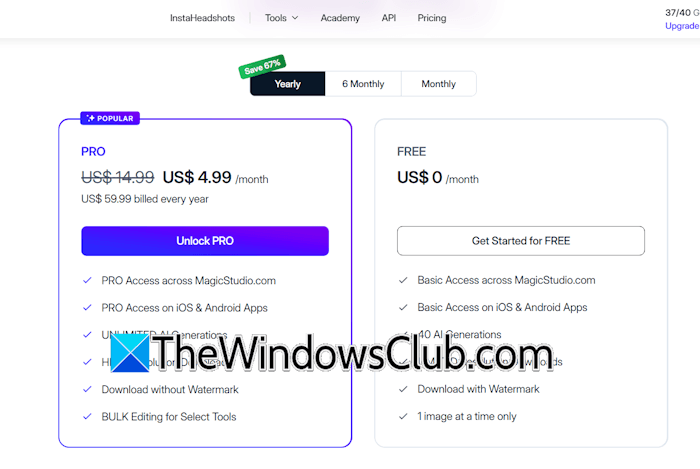
The Free tier offers one-time 40 image generation credits. These free credits are consumed only when you generate images. No credit will be used for image editing. Additionally, you can download low-resolution images on the Free tier, and they include a watermark.
The Pro plan unlocks the following features:
- Pro access across Magic Studio
- Pro access across iOS and Android apps
- Unlimited AI generations
- High resolution downloads
- Download without watermark
- Bulk editing for select tools
The complete information about the pricing plans is available on the official website.
Magic Studio AI
Overall
-
AI Tools Functionality & UI
(4.5)
-
Webapp Performance
(4.5)
-
Data Security
(4)
-
Output Quality & Pricing
(4.5)
Summary
Magic Studio is an AI image creator and editing tool packed with advanced features.

Leave a Reply