
In today’s digital landscape, businesses rely on a variety of tools to manage their workflows effectively. Some of these tools include Jira, HubSpot, Notion, and Google Workspace. Managing these tools often becomes a full-time job. Pokee AI is an autonomous AI agent platform designed for multi-platform workflow automation.
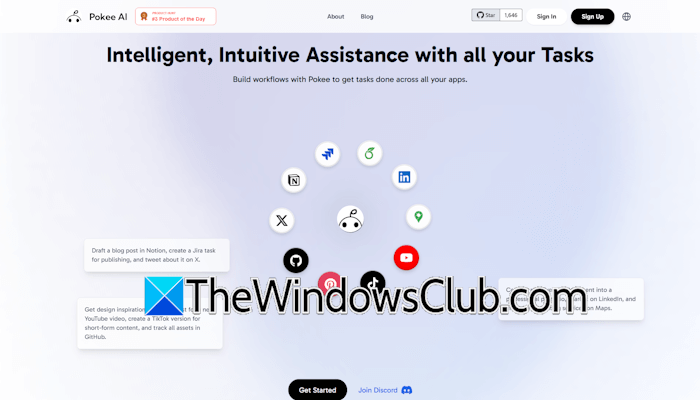
Pokee AI: Autonomous AI agents for multi-platform workflow automation
Pokee AI is an autonomous AI agent platform built for multi-platform workflow automation. With Pokee AI, you can automate your workflow to streamline routine processes, including sending emails, posting on social media platforms, etc. Pokee AI offers integration with a variety of platforms, including Facebook, Instagram, TikTok, YouTube, Gmail, Outlook, Notion, Jira, OneDrive, Google Drive, and more.
The autonomous agents of Pokee AI are designed for multi-platform workflow automation. They can understand goals, plan tasks, and act autonomously. However, before taking certain actions, such as posting content on social media, your permission is required.
Key features of Pokee AI
Let’s discuss key features of Pokee AI.
Foundation AI architecture
Pokee AI has a collection of core foundation models trained on:
- Diverse workflow patterns
- Tool usage data
- Domain knowledge
These models serve as a cognitive backbone, enabling Pokee AI to understand the complex tasks and execute them using integrated tools.
Unlike traditional AI assistants that only generate text, Pokee AI can take actions based on user input, such as publishing posts on social media platforms and scheduling campaigns.
Agentic workflow planning
Pokee AI offers agentic workflow planning. You can instruct Pokee AI like an assistant and iterate together until you are satisfied with the plan structure. After you describe the goal, Pokee AI analyzes the request and generates a step-by-step plan. You can review and refine the plan through iterative conversations. When everything is right, click Run to run the task. Pokee AI will execute the plan automatically after your approval.
You do not need to tell Pokee AI to select a particular application for the task. For example, if you want to post a pin on your Pinterest account, upload the image for your pin and type a prompt like:
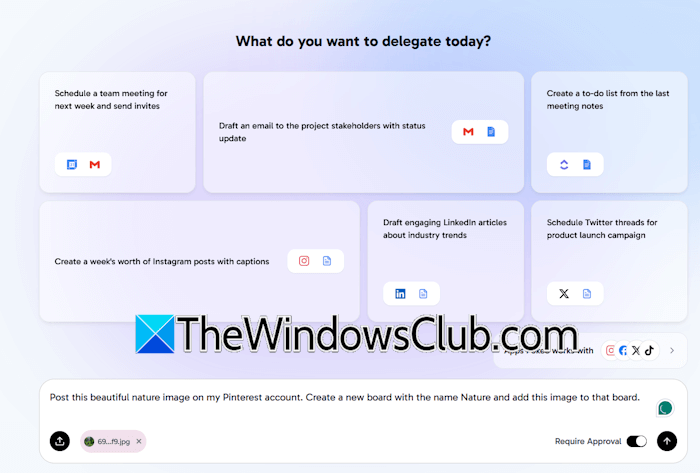
Post this image on my Pinterest account.
You can further explain Pokee AI to create a relevant board for the uploaded image. If you do not have a relevant image, Pokee AI will generate it for you and post it on Pinterest or another social media account.
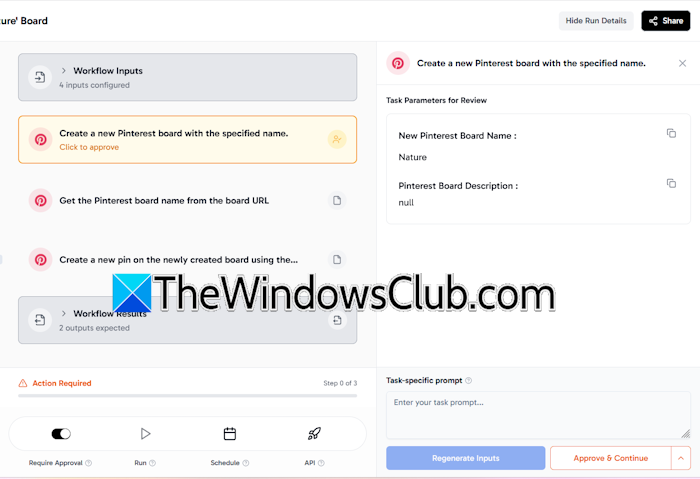
Make sure that the Require approval button is on. Turning ON this button binds Pokee AI to take your approval before posting content to your linked social media account. When the task is completed, you will see content posted automatically to your social media account.
Do note that you need to connect your social media account with Pokee AI to automate your workflows.
Autonomous execution capabilities
Unlike other AI agents, Pokee AI supports cross-platform execution. It executes actions rather than just suggesting them. Pokee AI performs the tasks given by you without manual steps. You just have to give a prompt to Pokee AI. However, the tasks will not be completed if the targeted account is not linked with Pokee AI.
Pokee AI also has real-time adaptation and error handling capabilities. If an error occurs, the agent intelligently retries, adjusts parameters, or notifies the user depending upon the context. This behaviour of Pokee AI allows it to maintain workflow with minimal disruption.
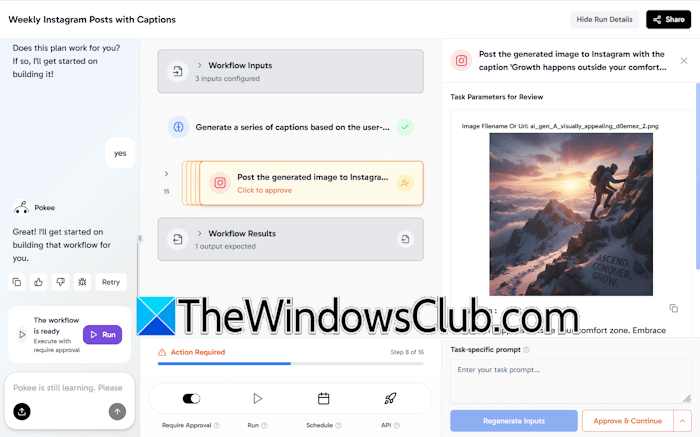
Once you give a prompt to Pokee AI, it maps it (breaks it) into smaller logical steps. For example, if you give the prompt “Create some interesting Instagram posts with captions,” it breaks it into simple tasks as follows:
- Deciding the number of posts
- Selecting the tone and topic for the posts
- Generating a series of captions
- Generating images for each caption
- Posting the images on your Instagram profile
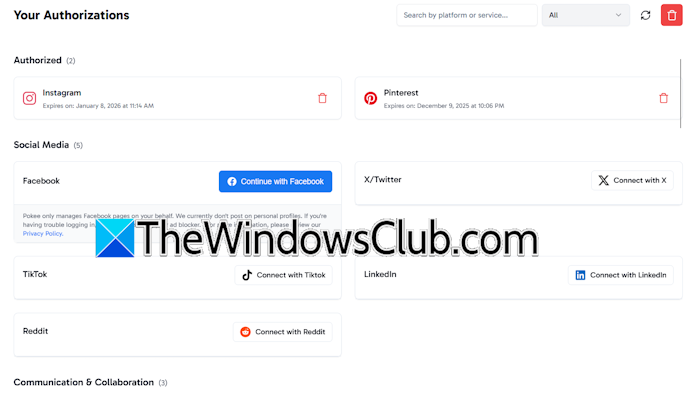
Pokee AI supports integration with various platforms, including Facebook, X, Reddit, TokTok, Slack, Freshdesk, Google Docs, Google Sheets, Gmail, YouTube, Outlook, Notion, Jira, Asana, Google Drive, OneDrive, Dropbox, Google Analytics, and more.
Multi-platform content management
With Pokee AI, you can manage content on different platforms from one single dashboard. You just have to connect the required platforms with Pokee AI. For example, if you want to automate Instagram posts, connect your Instagram account to Pokee AI, then schedule them. It also has automated engagement features, such as auto comments.
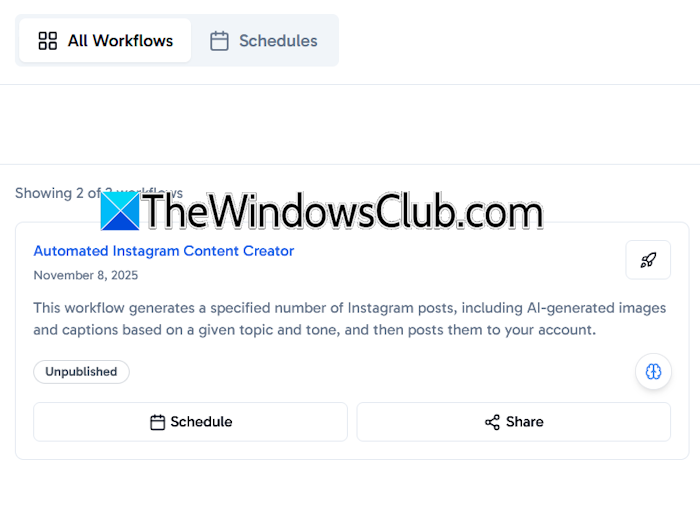
All the published posts remain available in the Workflows tab. To schedule them, click Schedule, then set the schedule time.
Enterprise integration
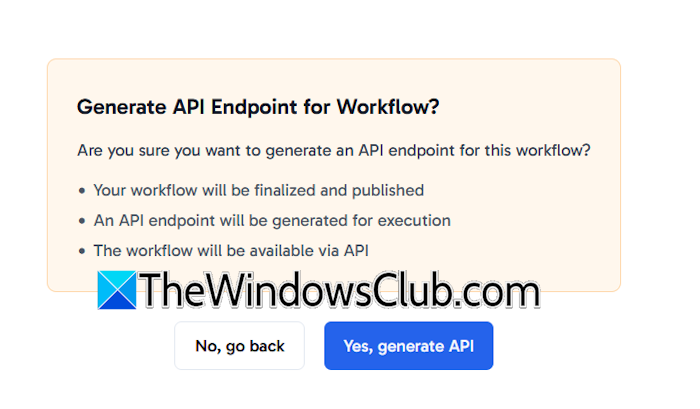
Pokee AI also offers enterprise-level integration. You can connect it with CRMs, ERPs, and other customer support tools. You can generate APIs for your workflows with a single click.
Customization and training
Businesses can modify automation rules and chatbot responses. Additionally, Pokee AI offers model training capabilities that enable businesses to train models for better understanding and higher accuracy.
Every business operates differently. Pokee AI supports this diversity in businesses through workflow customization. Businesses can design and edit workflows. Moreover, AI analytics gives you more control over automation rules.
Planning, reasoning, and tool-usage
Thanks to the advanced reasoning engine, Pokee AI agents excel in planning, reasoning, and tool usage. The agents break each goal into a logical sequence of sub-tasks, mimicking human strategic thinking.
The agents are also proficient at identifying the appropriate tool for a given request and utilizing it flawlessly. The combined planning and reasoning capabilities of Pokee AI agents enable them to execute tasks with high accuracy, significantly reducing the need for manual review.
How Pokee AI works
Using Pokee AI is simple. You just have to type your requirement in the prompt box and hit Enter. It will automatically select the required tool to execute your request.
The following steps will help you understand how Pokee AI works:
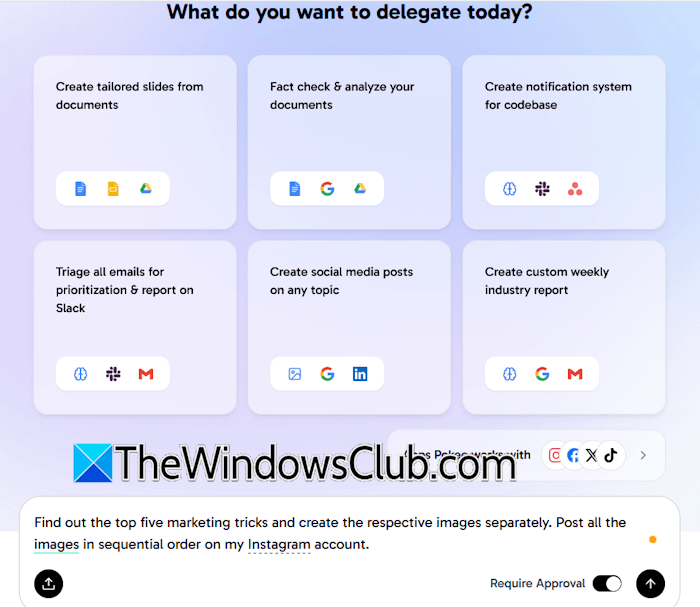
Step 1: The user describes the goal by typing a simple prompt in the prompt box.
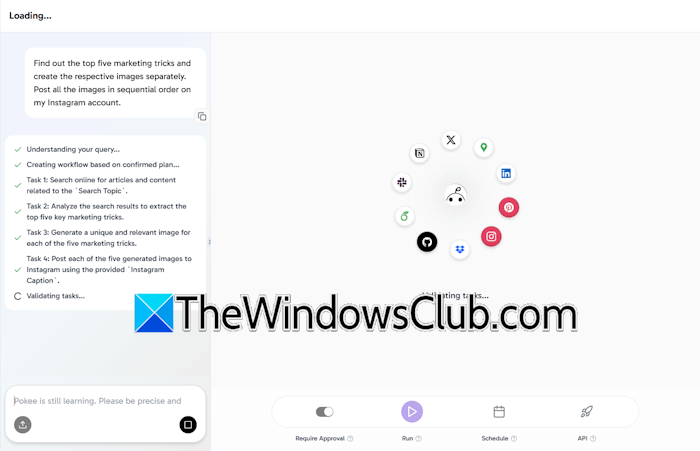
Step 2: Pokee AI analyzes the request using the foundation models. Foundation models break down the goals, identify necessary steps, and select the required tools.
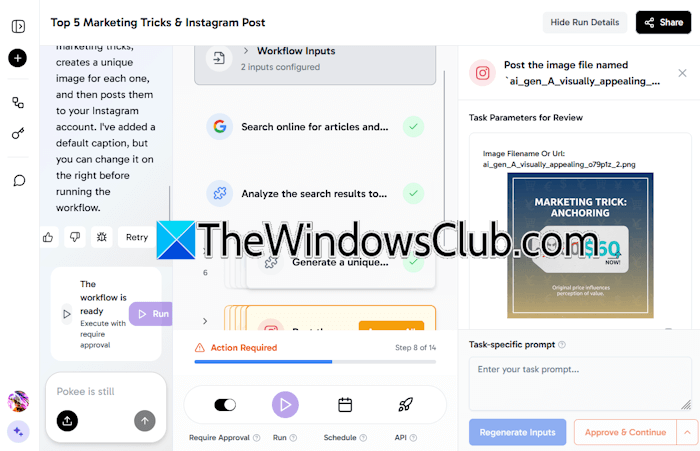
Step 3: Pokee AI generates a detailed plan, outlining specific actions. The user has to run the task.
Step 4: The plan is presented for approval. The user can refine, remove, or add steps until the plan is approved.
Step 5: The agent executes the task after the request is approved.
Step 6: While executing the task, the user can give feedback to the agent, and it will make the required changes. The agent can also handle errors automatically.

Step 7: After performing all the above steps, the agent delivers the outcome. The system also learns from the entire process to improve future performance.
Pricing and use cases
Pokee AI has the following pricing plans:
- Free
- Lite
- Pro
- Ultra
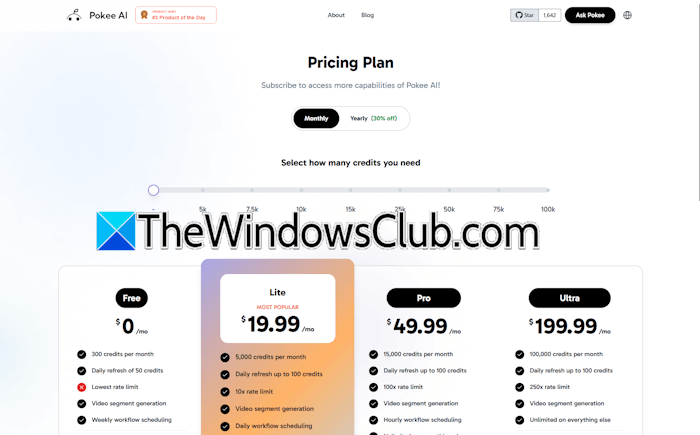
The Free plan gives you 300 free credits per month. Additionally, you will get video segment generation and weekly workflow scheduling features. The Lite plan is the most popular, offering 5000 credits per month and is ideal for regular users. Pro and Ultra plans are for power users and small groups, respectively.
You can also select a custom plan based on the number of credits you want per month. Complete details about the pricing structure of Pokee AI are available on its official website.

Leave a Reply