
Spinach.ai is an AI meeting assistant that streamlines meeting workflows by automating note-taking, summarizing discussions, and managing follow-up tasks. Spinach AI is more than just a note taker for your meetings. It helps you run effective meetings and streamline post-meeting workflows. This article reviews Spinach.ai, the best AI Meeting assistant.
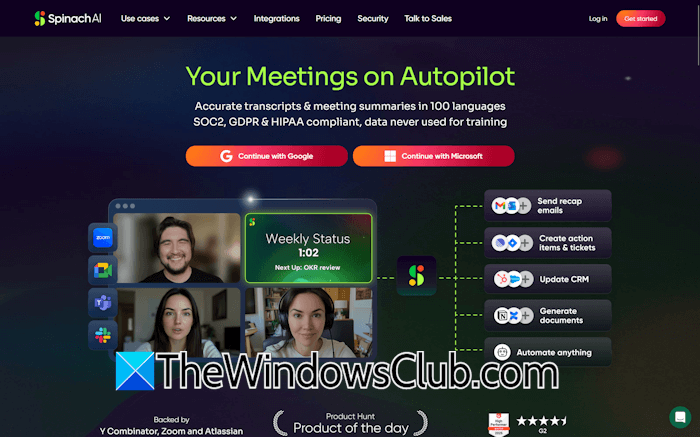
Spinach.ai: Your AI Meeting Assistant
Spinach.ai is an AI-powered Meeting Assistant designed to help teams run more effective meetings, automate note-taking, and streamline post-meeting workflows. It supports more than 100 languages and seamlessly integrates with popular collaboration tools.
Features of Spinach.ai
Let’s talk about the features of Spinach.ai.
AI-powered Meeting Assistant
Spinach AI acts as a virtual participant in your meetings. It joins your meetings, records them automatically, and transcribes them. Once the meeting ends, you will get an instant summary of your meeting. Since the AI meeting assistant captures the entire meeting, your team members can focus entirely on collaboration and discussion. This helps boost productivity. After the meeting ends, each team member will have meeting notes and a summary.
Automated action items
This is one of the most powerful features of Spinach AI. It can automatically identify and suggest action items and next steps discussed during the meeting. As the AI joins your meetings, it listens carefully to every person who talks in the meeting and presents the entire conversation in a clear and organized format.
Post-meeting automation
Spinach AI can automate follow-up tasks, draft recap emails, and update project management tools to reduce manual work after meetings. Unlike other tools, Spinach summaries are specifically tailored for project meetings, planning meetings, daily standups, and more.
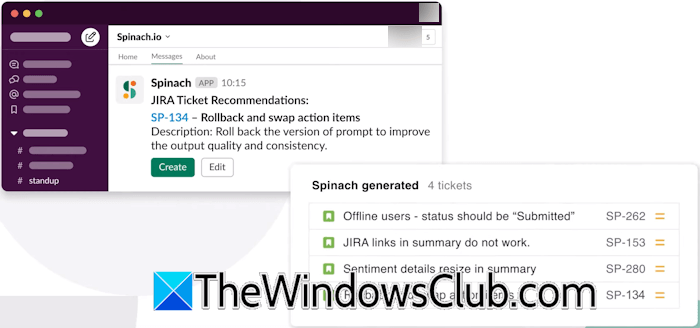
This platform also automates updates to project management tools, like Jira, automatically creating or updating tasks and tickets based on the action items found in the meeting. This feature eliminates the need for manual data entry.
Integration with collaboration tools
Spinach AI supports integration with many popular collaboration tools, project management tools, and more. This makes it easier for you to share your meeting summaries and action items with your team.
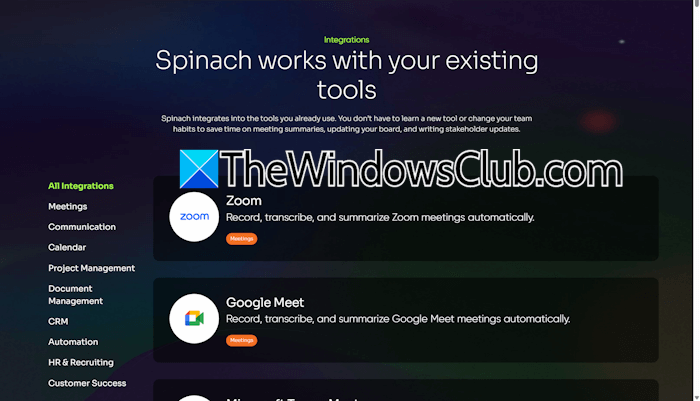
Some of the popular integrations include Zoom, Slack, Google Meet, Microsoft Teams, Microsoft Outlook, Google Calendar, Jira, Trello, Asana, Notion, Google Docs, Microsoft SharePoint, Salesforce CRM, Hubspot CRM, Zapier, and more.
Multilingual support
With support for more than 100 languages, Spinach.ai is an excellent solution for global teams. This feature eliminates the language barrier for all team members.
Specialized for Agile teams
Spinach AI functions as a virtual Scrum Master, helping to facilitate daily standups, sprint planning, and retrospectives. It also helps automate Jira or project management updates.
Agents
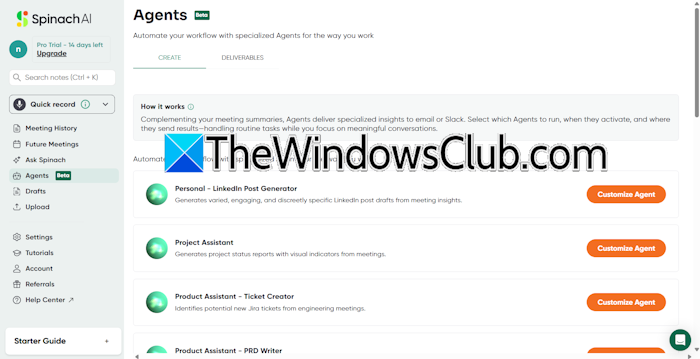
Spinach AI allows you to automate your workflow with specialized agents. Several AI agents are available for different requirements. You can select an AI Agent based on your requirement, customize it, and deploy it.
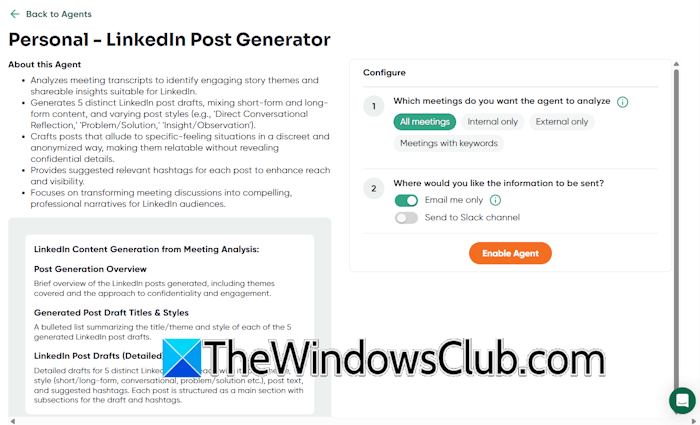
Some of these AI agents are LinkedIn Post Generator, Project Assistant, Ticket Creator, PRD Writer, Customer Feedback Assistant, etc. To customize an agent, select the Agents tab from the left side and click Customize Agent.
Privacy and security
Spinach AI takes users’ privacy and security seriously. That’s why it offers enterprise-grade security features. Spinach is Sock 2, HIPAA, and GDPR Compliant, so you can trust your information and data will stay private and never be used by any large language model for training.

The platform also leverages the best-in-class encryption, access controls, and intrusion detection software to safeguard your data.
Use cases of Spinach.ai
Spinach AI’s versatility makes it a valuable tool for many industries. Here are some of the use cases for Spinach.ai.
Agile software development
Spinach AI acts as an AI Scrum Master, which makes it a valuable tool for your development teams. It can run daily standups, sprint planning, and retrospectives. For sprint planning, it can automatically create and update tickets in Jira and other project management tools.
Cross-functional team meetings
Spinach AI ensures that all meeting discussions are accurately summarized and action items are properly assigned. This prevents miscommunication among the team members.
Remote and hybrid teams
In the remote or hybrid work environment, clear communication is paramount. Spinach AI provides clear, automated team notes and action items, reducing the risk of employees missing information due to time zone differences or technical glitches.
Client and stakeholder meetings
In client and stakeholder meetings, accurate recordkeeping is crucial. Spinach.ai captures every key point discussed in the client and stakeholder meetings, reducing the possibility of communication gaps. Moreover, the meeting record is also reliable for future reference, helping build trust and accountability among clients.
Post-meeting workflows
The Spinach AI’s ability to automate the post-meeting workflows can be a game-changer for organizations. It can automate recap emails and update CRMs or project management tools. This automation enables teams to start their next job without wasting time on unnecessary admin tasks.
Pricing plans
Spinach.ai is available in the following pricing plans:
- Starter
- Pro
- Business
- Enterprise
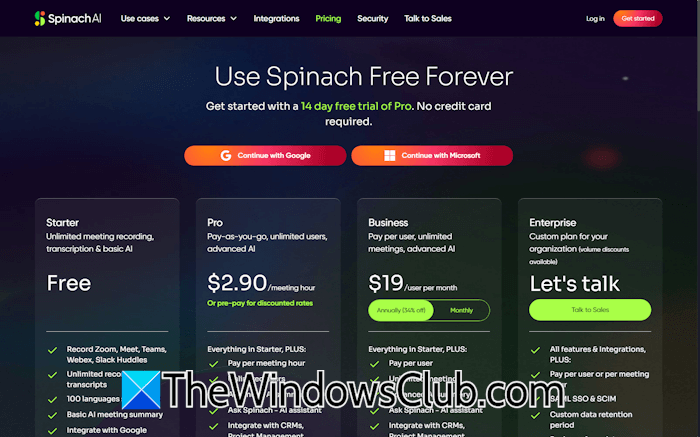
The Starter plan is completely free and offers unlimited meeting recordings, transcription, and basic AI features. You will also get support for 100 languages in the Starter plan. Integration with video conferencing tools, Slack, and Zapier is also included in the free plan.
In the Pro plan, you will get unlimited users and advanced AI features. It includes everything in the free plan with some additional features. You can integrate with CRMs, project management tools, Zapier, and more.
Business plan includes unlimited meetings and advanced AI features. All the features in the Starter and Pro plans are also included in the Business plan. Additionally, the Business plan has some additional features.
The Enterprise plan has many advanced features that are not available in the Starter, Pro, and Business plans. This plan is suitable for very large-scale industries. To get more information on the pricing structure of Spinach.ai, visit its official website.
Pros and Cons of Spinach AI
Let’s talk about some advantages and limitations of Spinach AI.
Pros
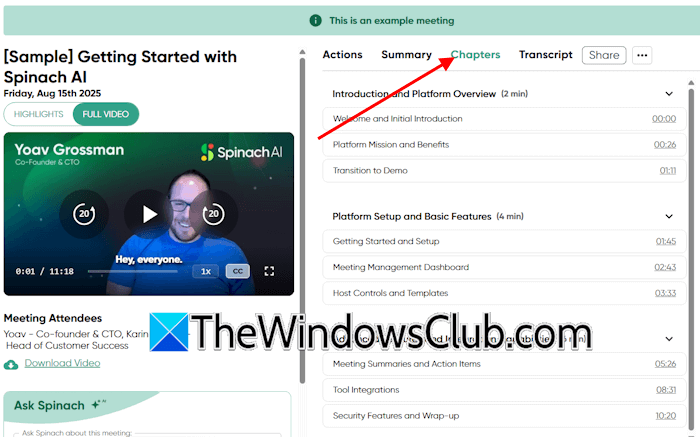
- Meeting history and Future meetings: You can view your meeting history under the Meeting History tab. It intelligently creates chapters for the recorded meeting with proper headings, allowing you to jump to the specific section in the recorded video. You can also view all your future meetings on the platform.
- Ask Spinach: Ask Spinach helps you resolve your queries for a particular meeting. Just type your question as a prompt, and it will give you the answer.
- AI Agents: You can customize and deploy AI Agents based on your requirements. Many different AI Agents are available on the platform.
- Seamless Integration: Spinach AI supports integration of several popular platforms, including Zoom, Google Meet, Microsoft Teams, Slack, Google Calendar, Jira, Trello, Asana, and more.
- Meeting highlights and full video: It shows your recorded meeting sessions in both highlights and full video formats. You can also play the recorded meeting video at 3x speed.
- Record meetings: If you already have a pre-recorded meeting video, you can upload it to the platform, and it will convert it into notes and a transcript.
Cons
I have found only these limitations of this platform.
- The use of the Ask Spinach AI Assistant is limited in the free version.
- Users must select a pre-defined AI Agent and customize it before deployment. There is no option to create an AI Agent from scratch.
- The video upload limit is unlimited in the Pro plan, but is limited to 3 per day in the Business plan.
Final thoughts
Spinach.ai is more than a meeting AI note taker. It captures key points and automates post-meeting workflows, helping teams run meetings efficiently. Its multilingual support, integration with collaboration tools, and ability to act as a virtual scrum master make it a valuable tool for software development and remote teams.

Leave a Reply