
IT teams are facing significant pressure in today’s fast-paced digital environment. They must navigate increasingly complex and distributed infrastructures, manage a flood of alerts, and meet the ever-growing expectation for uninterrupted services. Sticking with manual troubleshooting, reactive responses, and repetitive admin tasks isn’t efficient anymore. It often leads to too many alerts, slow problem-solving (MTTR), human errors, and wasted time that IT teams could spend on other critical initiatives.
To be efficient and resilient, IT teams need automation so they can stop putting out fires and start being proactive. This is where ManageEngine OpManager Plus helps. It’s an all-in-one IT management tool with robust automation features that streamline IT operations, reduce manual work and keep services running. This means more efficiency, quicker fixes, and a truly proactive approach to IT.
Understanding ManageEngine OpManager Plus: More Than Just Monitoring
Let’s first understand what ManageEngine OpManager Plus offers beyond just automation. It’s not just a network monitoring tool; it’s a comprehensive IT Operations Management (ITOM) suite. The tool has integrated features, which include monitoring for networks, servers, applications, storage, and firewalls, as well as Network Configuration Management (NCM) and IP Address Management (IPAM).
This all-in-one approach gives you the full picture and context needed for effective automation across your entire IT infrastructure.
Additionally, OpManager Plus comes equipped with more than 70 pre-built automation checks and actions for common IT operations.
This includes practical tasks such as starting/stopping services, running custom scripts, sending detailed notifications, rebooting devices, and auto-logging tickets in ITSM systems. Beyond these, administrators can also design custom workflows to fit their organization’s specific operational requirements, making the solution highly adaptable.
Here are some of the ways the automated workflows are initiated,
- Alerts: The most common trigger, allowing for immediate automated remediation when a specific performance threshold is breached or a device goes down.
- Scheduled Maintenance: For routine tasks like configuration backups, report generation, or system health checks.
- Execution when required: Allowing manual triggering of complex workflows when needed.
Key Areas of Automation with OpManager Plus
OpManager Plus doesn’t just automate, it helps IT teams take charge of their infrastructure. The solution brings automation to every important IT operation, making an IT Admin’s job easier and more effective.
Automated Discovery & network Mapping:
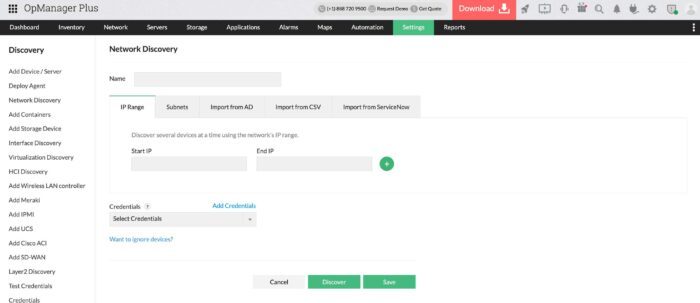
Manually maintaining an accurate network inventory and topology is a never-ending task. OpManager Plus completely automates this process by;
Automatic Device Discovery – Automatically scans through defined IP ranges, subnets, integrates with Active Directory, utilizes Layer 2 maps to discover devices across your network. There’s also a scheduled discovery option that automatically detects new devices added to your network or changes to existing ones, ensuring your inventory and monitoring stay up to date without manual intervention. 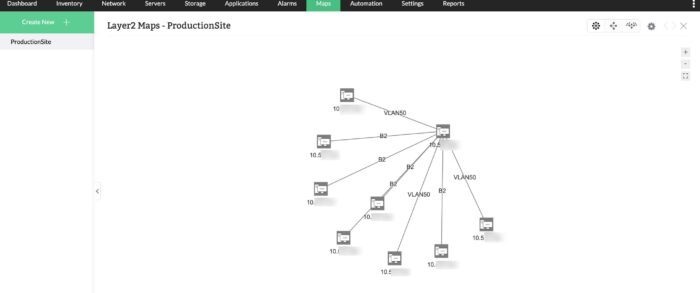
Automated network mapping – Discovers your devices and their connections to automatically create a dynamic Layer 2 map. These maps offer crucial insights into your network topology, aiding quick problem identification and efficient network management through a real-time visual representation.
Automated Network Configuration Management (NCM)
Configuration errors frequently cause network downtime and security risks. OpManager Plus addresses this head-on, using its integrated Network Configuration Management to automate and secure the entire network environment.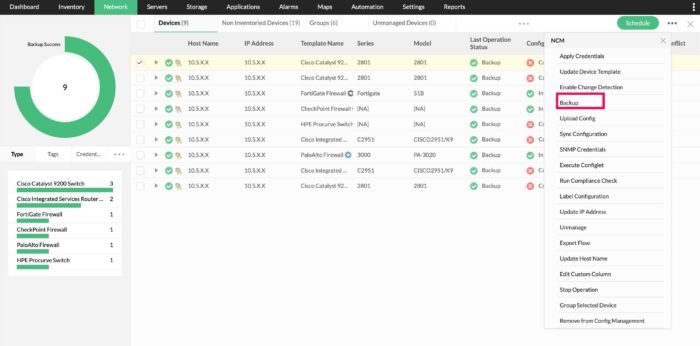
Automated configuration backups – With OpManager Plus, schedule automatic backups of your device configurations. This means you’ll always have a reliable version to fall back on, and every change is recorded and versioned for easy comparison.
Scheduled configuration pushes – Automatically deploy standard configurations or security patches to many devices at once. This cuts down on manual work and keeps everything consistent.
Compliance Checks & Remediation – Set up policies for standards like PCI, SOX, and HIPAA, and the system will automatically check device configurations against them. If any violations are detected, Configlets can even automatically fix them to ensure your devices remain compliant.
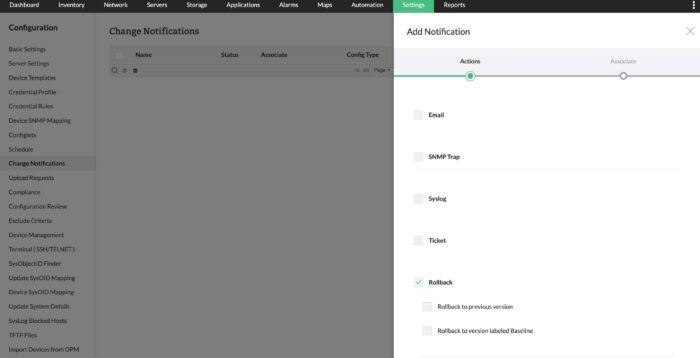
Rollback Capabilities – If a configuration change goes wrong, whether it was automated or manual, you can rollback to a previous, stable version with just one click.
Automated Fault Management & Remediation
One of the biggest advantages of automation in OpManager Plus is how quickly it helps you manage and fix problems. Here’s how,
Proactive Troubleshooting – You can set up workflows to automatically handle initial troubleshooting. For example, if a server’s CPU usage spikes, a workflow can instantly check processes, restart services, or even reboot the server all on its own.
Automated Ticket Creation – OpManager Plus integrates seamlessly with ITSM tools like ServiceDesk Plus and ServiceNow. This means it can automatically create incident tickets filled with all necessary diagnostic details, ensuring fast action and a clear record. 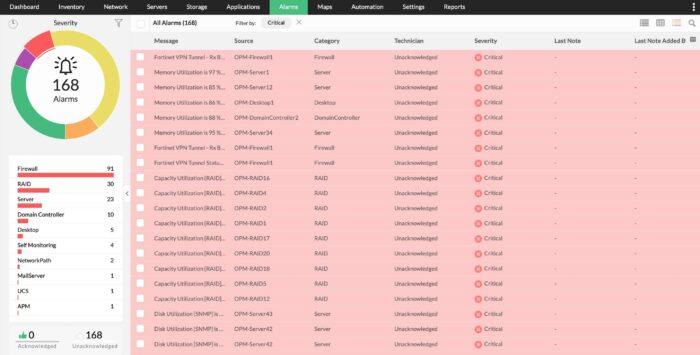
Intelligent alerts – OpManager Plus lets you set up smart, multi-level thresholds. If the threshold is breached and the automated fix fails, the right stakeholders get notified instantly via SMS, email, or third-party tools like Slack, Teams, etc. Furthermore, the tool helps correlate alarms based on device dependencies, preventing alert fatigue, and pinpointing the actual root cause.
Routine IT Operations Automation
Beyond handling incidents and configurations, OpManager Plus also automates many other common, time-consuming IT tasks. Here are some.
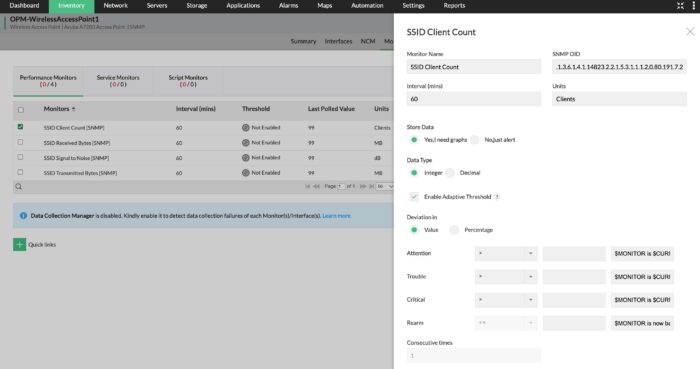
Adaptive thresholds – Configuring alerts for critical performance metrics like memory, CPU, and disk utilization can be a real headache for network administrators. It’s often one of the most challenging tasks they face. To make this process much easier, OpManager Plus introduces ML-powered adaptive thresholds. This feature significantly simplifies how you configure these vital monitoring limits, taking the guesswork and tedium out of the equation.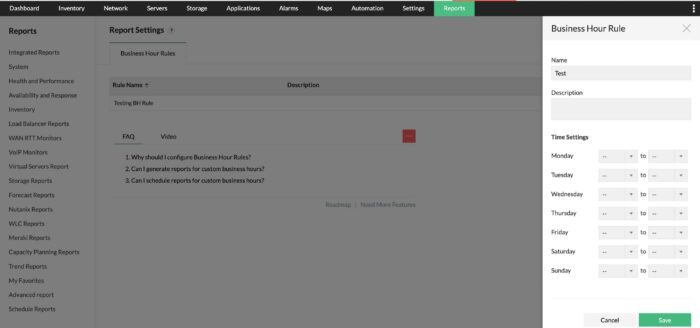
Automated workflow – Automated IT workflows are essential for managing large and expanding networks. These systems simplify routine tasks, such as inspecting servers during outages or for regular upkeep. Such activities typically consume considerable time and resources when performed manually across numerous devices. With OpManager Plus, these challenging and repetitive maintenance processes become significantly easier to manage.
Scheduled Reporting – Automatically generate performance, availability, or compliance reports. This ensures all stakeholders get timely updates without any manual effort.
Service & Process Management – Automatically manage Windows services and processes remotely based on specific conditions, helping you maintain optimal application health.
Benefits of Automation with OpManager Plus
Adopting automation with ManageEngine OpManager Plus yields significant benefits for IT organizations. Here are some notable benefits,
- By offering automated diagnostics and proactive issue resolution, OpManager Plus significantly reduces the time from issue detection to resolution, thereby minimizing system downtime
- Automated and streamlined processes help your IT team work smarter, boosting their efficiency and productivity.
- By detecting and fixing issues early, you can prevent minor problems from turning into major outages, ensuring your systems always perform consistently and reliably.
- By automating tasks and offering clearer insights, IT teams can manage and allocate resources more effectively, avoiding both overspending and underusing.
- By using automated checks, policy enforcement, and detailed audit trails, organizations can continuously meet industry compliance rules and significantly improve their security.
To know more about OpManager Plus and what it offers, sign up for a personalized product demo or use the tool for the next 30-days with a free trial and determine if it’s an ideal match for your network needs.

Leave a Reply