
In organizations, teams rely on dozens of tools to manage security and IT operations. These tools often remain disconnected, forcing teams to rely on repetitive manual processes. This increases the risk of errors and security gaps in workflow management. This is where Tines comes in. This article reviews Tines, an AI orchestration platform purposely built for security and IT teams that connects tools, empowers teams, and deploys intelligent agents to automate work.
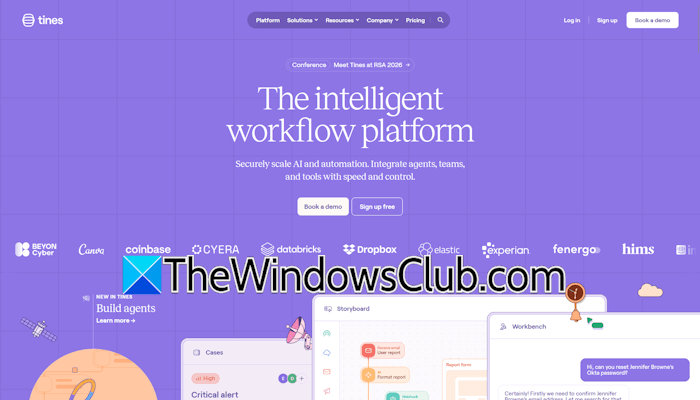
Tines: An AI Orchestration Platform
Tines is a workflow automation and AI orchestration platform built to automate complex operational tasks across security and IT environments. It allows organizations to connect their entire technology stack and automate repetitive manual tasks through scalable workflows. Tines is trusted by leading organizations, including Sophos, Canva, McKesson, Coinbase, GitLab, and OpenTable.
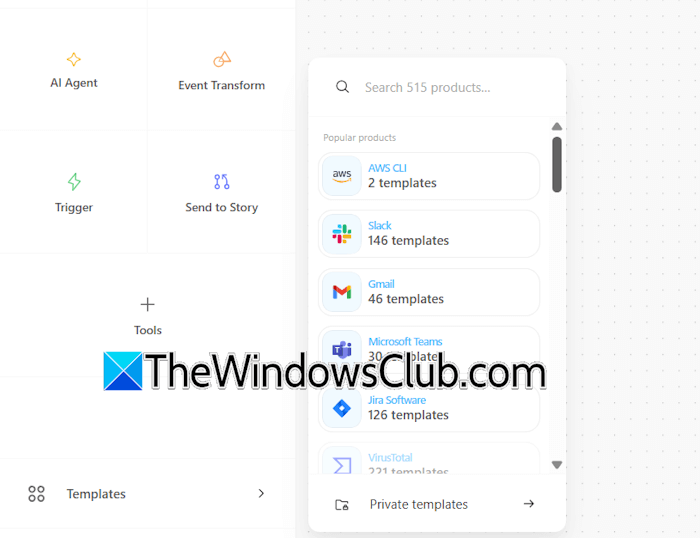
Stories are the unique concept of this platform. Stories are the workflows in Tines. They represent a collection of interconnected actions and events, working towards a singular goal. You can construct stories easily by dragging and dropping actions onto the storyboard and configuring them. Some pre-defined templates are also provided on the platform to accelerate the automation process.
Key features of Tines
Let’s talk about some of the key features of this platform.
1. AI Orchestration Engine
Since Tines is an AI orchestration platform, it allows you to deploy AI agents that coordinate across tools and workflows. The Deployed AI agents can analyze incoming data, determine appropriate responses, and trigger the required automated actions. This significantly reduces the time required for manual investigations, resulting in increased productivity.
2. Stories (Automated sequences)
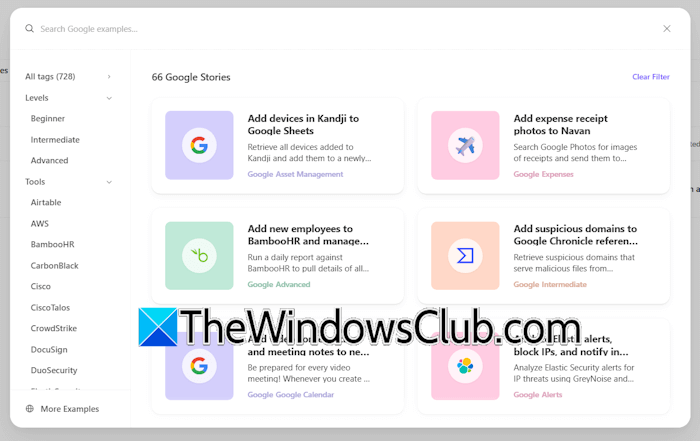
Stories help you build and manage automated sequences of actions that streamline complex and multi-step tasks. You can use pre-defined templates or build a story from scratch.
3. No code workflow builder
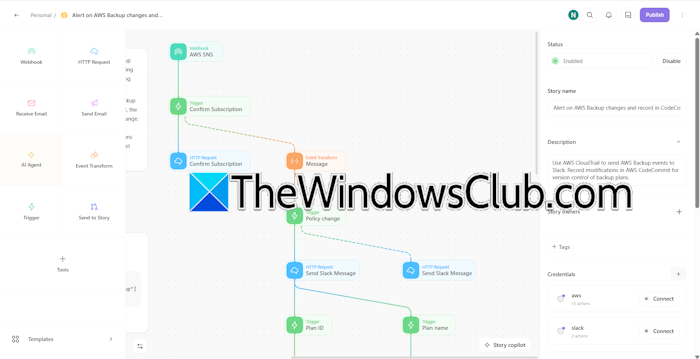
Tines includes a visual no-code workflow builder that allows anyone to create automation processes regardless of technical skills. Hence, security analysts and IT teams can independently create workflows and automate repetitive tasks, rather than relying on developers.
4. Tool connection and integration
Organizations use multiple security and productivity tools. These tools are not connected, so teams spend more time on repetitive tasks, ultimately reducing productivity. Tines help fill this technology gap by connecting the entire technology stack and automating repetitive actions.
5. Intelligent agent deployment
Tines allows organizations to deploy AI agents that make decisions and execute tasks autonomously. These agents can evaluate incoming data and execute required actions. This is valuable for environments where repeated decision-making is required.
6. Security first architecture
Tines is built with safety as the topmost priority. Its security-first architecture is designed to handle the most sensitive data with the highest security.
7. Data enrichment and contextualization
Tines enriches data and adds context to improve decision-making within workflows. For example, if a security flaw is detected at a particular IP address, Tines does not forward only that IP address to the security team. Instead, it enriches the data by adding more information, such as whether the IP address belongs to another country, whether your organization’s employee owns that IP address, etc.
8. Incident response automation
Tines helps you automate security workflows and incident response processes end-to-end. Security teams can automate the entire incident response process, whether it is investigation or remediation. For example, if an employee’s password is leaked, a hacker tries to log in to his account. If Tines is configured, it detects this activity. In this scenario, instead of waiting for security personnel to act, Tines automatically scans the IP address and decides whether the login attempt was suspicious. If so, it takes immediate action.
9. Tech debt elimination
Tines platform helps reduce technical debt through standardized and automated workflows. This standardization with Tines helps organizations eliminate old, broken codes with structured workflows.
10. Scalable execution
Tines can automate thousands of workflows per day across diverse use cases. Hence, it doesn’t matter whether you are running a few or many workflows. Tines is designed to handle the load.
11. Monitoring and observability
Tines provides organizations with a centralized platform for monitoring and observability. Teams can track workflow execution, identify failures, and troubleshoot issues from one single place.
Core use cases of Tines
Let’s talk about core use cases of Tines.
1. Security operations (SecOps)
With Tines, security teams can automate threat detection, investigation, and response workflows across multiple security tools. For example, if Tines detects a suspicious activity on an employee’s account, it automatically collects the required data, such as login history, IP address, etc., and then creates an investigation ticket.
2. Incident response
Tines can orchestrate multi-step processes, reducing the time required to manually manage security incidents. For example, if malware is detected, Tines automatically takes the required action, such as blocking the affected IP address.
3. IT service management
Tines also helps streamlining IT service operations by automating repetitive processes, like ticket routing.
4. Threat intelligence
Tines can enrich and contextualize threat data from multiple sources. This enables analysts to understand potential threats faster and prioritize responses effectively.
5. Compliance and audit
Tines automatically collect evidences and runs compliance checks, turning a long manual audit process into an automated workflow.
6. Vulnerability management
Tines can coordinate vulnerability scanning, prioritization, and remediation across security infrastructure. For example, if Tines detects a vulnerability on a server, it automatically creates a remediation ticket and assigns it to the IT team.
7. Employee onboarding/offboarding
Tines can automate IT provisioning and deprovisioning across multiple systems. For example, organizations can create a story in Tines, making it to create accounts when a new employee joins the team.
8. Alert triage and enrichment
Tines automatically enriches, deduplicates, and prioritizes security alerts. For example, if you work manually, you may miss fixing a major security vulnerability because you were engaged in dealing with a minor login error. Whereas, it doesn’t happen with Tines, as it flags the major security vulnerability with High Priority.
9. Phishing response
Tines automates the investigation and remediation of reported phishing emails. For example, it takes more time for a human analyst to scan and analyze every reported suspicious email. The more emails are reported, the more time will be taken by the human analyst. With Tines, you can automate this process, so all the reported emails can be analyzed within a few minutes.
10. Cloud security
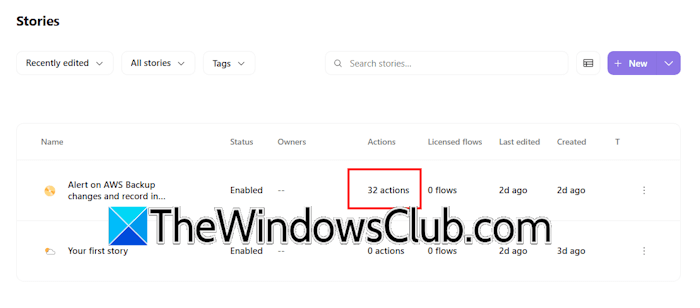
Tines can orchestrate monitoring and remediation across multiple cloud environments. For example, if a misconfiguration is detected in a cloud environment, Tines alerts the security team, so the required action should be taken ASAP.
Tines Pricing Plans
Tines is available in the following four pricing plans:
- Community
- Starter
- Business
- Enterprise
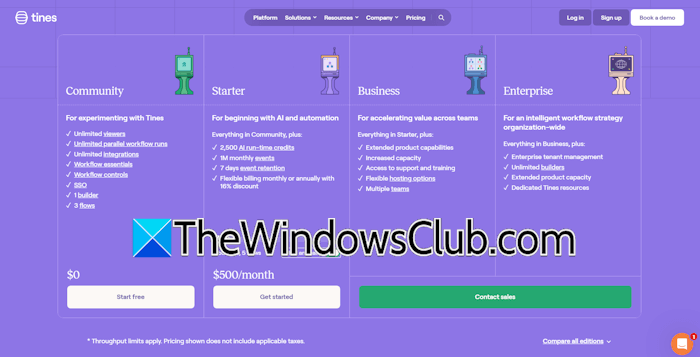
The Community plan is the free plan available to all users who sign up on the platform. This plan is good for experimenting with Tines, so you can understand its functionality before purchasing a paid subscription. Some of the benefits of this plan include unlimited viewers, unlimited parallel workflow runs, workflow controls, SSO, 1 builder, and more.
The Starter plan includes everything in the Community plan plus additional features, including 2500 AI run-time credits, 1M monthly events, 7 days of event retention, and more. You can further customize the Starter plan from 2 builders, 5 flows to 5 builders, 20 flows.
The Business and Enterprise plans are for large enterprises. The Enterprise plan includes everything in the Business plan, plus additional benefits, such as Enterprise tenant management, unlimited builders, extended product capacity, and dedicated Tines resources.
You can select any one of these plans based on your requirements. You can get complete information about the pricing structure on the official Tines website.

Leave a Reply