
Looking for the best AI mind-mapping software to visualize ideas, organize research, or summarize documents? Meet MindMap AI, a powerful, free mind map generator that converts your thoughts, files, and notes into dynamic visual mind maps in seconds. Whether you’re a student, entrepreneur, content creator, or knowledge worker, this tool will supercharge your productivity and creativity.
Let’s dive into how MindMap AI stands out among today’s top visual thinking and AI productivity tools.
Introduction
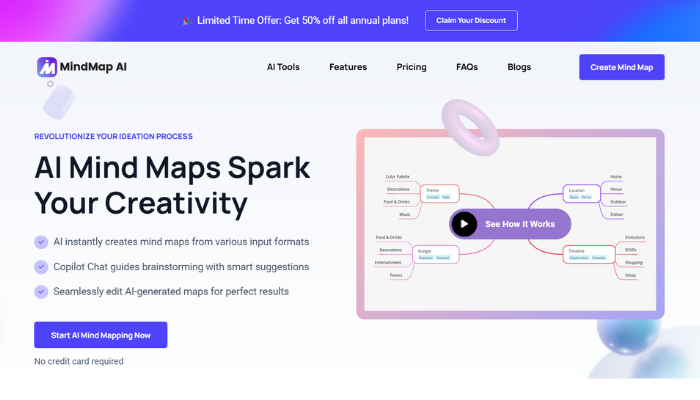
MindMap AI is an AI-powered mind mapping platform that lets you instantly turn text, PDFs, audio, videos, and even code into editable mind maps. You don’t need design skills or templates, just type your topic or upload a file, and the AI creates a beautiful visual mind map tailored to your content.
MindMap AI is a versatile tool designed to serve a wide range of users across different fields. Students rely on it for efficient note-taking, exam preparation, and summarizing complex subjects into clear visuals. Professionals use it for planning projects, collaborating with teams, and structuring engaging presentations. Researchers benefit from its ability to convert lengthy PDFs into intuitive, easy-to-navigate mind maps, simplifying analysis and synthesis. Meanwhile, content creators find it ideal for brainstorming fresh ideas, building storyboards, and outlining content strategies with clarity and speed.
MindMap AI review and features
-
AI-Powered Mind Map Generator
The core feature is its AI mind map creator. Just enter a prompt like “Explain Time Management” or paste any content, and MindMap AI generates a complete, organized visual mind map. Each branch is editable and expandable. You can even use the AI Copilot to ask follow-up questions, expand a section, or simplify content.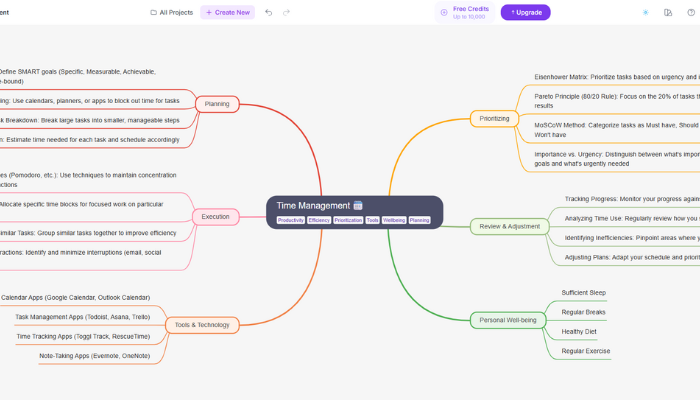
● Support for Multiple Input Formats
MindMap AI supports a wide range of input formats, allowing users to turn virtually any content into clear, structured mind maps. Whether you paste raw text, upload academic PDFs, or convert audio and video recordings, the tool generates accurate visual summaries in seconds.
It also handles CSV and Markdown files for structured data, and even transforms technical formats like JSON and XML into user-friendly diagrams. These powerful input tools eliminate hours of manual effort, helping students, professionals, and researchers quickly extract insights and visualize complex information.
● Real Time AI Copilot for Interactive Exploration
MindMap AI also features a real-time AI copilot that assists in generating and refining your mind map. You can ask the AI to expand, clarify, or summarize any node in the mind map. For example, if you need more details on a specific subtopic, simply click on it, and the AI will add additional information, making it an interactive and customizable process.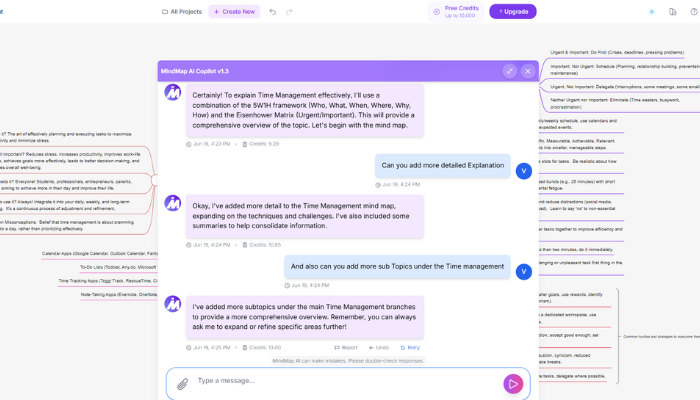
● Advanced Mind Map Customization
Once your mind map is generated, you can fully customize it to fit your needs. From editing text and changing the layout to adding icons, images, and color themes, MindMap AI provides various customization options to enhance visual appeal and clarity.
Popular Tools Offered by MindMap AI
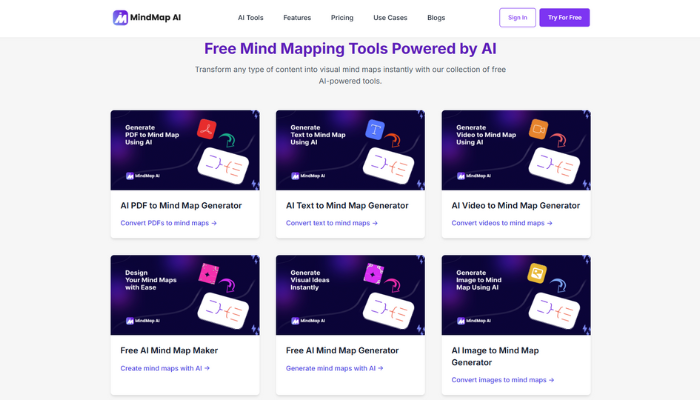
You can use all major features directly from the MindMap AI tools page. These tools enable users to create detailed mind maps from virtually any input, streamlining the processes of idea generation, project planning, and research summarization. Some of the Free tools are:
- Text to Mind Map
- PDF to Mind Map
- Audio to Mind Map
- CSV to Mind Map
- Book to Mind Map
- Markdown to Mind Map
- Video to Mind Map
- Image to Mind Map
- Research to Mind Map
- Notes to Mind Map
- GraphViz to Mind Map
- XML to Mind Map
- HTML to Mind Map
Cross Platform Access for On-the-Go Mapping
MindMap AI offers seamless access across various platforms.When you create a mind map on one platform, it automatically syncs across all devices keeping your work accessible, organized, and up to date at all times.
- Web App
- iOS & Android Apps
- Chrome Extension
Easy to Use Interface and Seamless Experience
MindMap AI offers a remarkably intuitive and seamless interface that makes mind mapping accessible to everyone, whether you’re a student, educator, or business professional. From the moment you sign up at mindmapai.app, the platform guides you through a smooth experience. Simply choose your preferred input, be it text, PDF, CSV, or even audio and video and let the AI automatically generate a structured, interactive mind map in seconds. The platform’s clean layout makes it easy to customize, organize, and export your maps in formats like PDF, PNG, or JSON, with no design skills required.MindMap AI ensures every user can focus on ideas, not complexity.
MindMap AI Pricing Plans
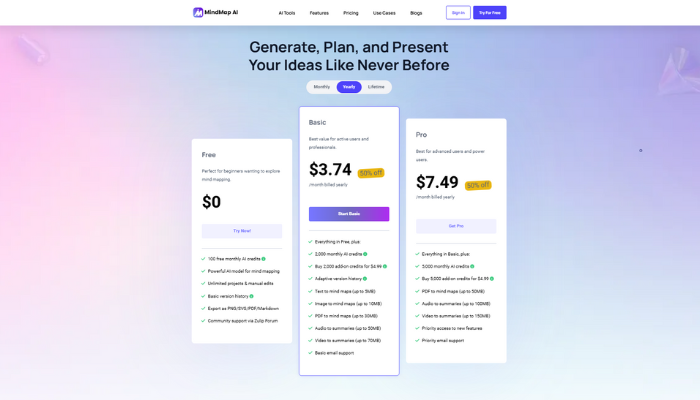
MindMap AI offers flexible pricing to cater to different needs:
- Monthly (Free, Basic, Pro)
- Yearly (Free, Basic, Pro)
- Lifetime (Lite, Plus, Ultimate)
Why MindMap AI is the Best Free Mind Map Generator
MindMap AI stands out as the best free mind map generator by combining powerful AI with unmatched simplicity. Whether you’re a student organizing research, a creator brainstorming ideas, or a team planning projects, MindMap AI delivers fast, intelligent visualizations without the need for templates or design experience. The tool supports input from PDFs, audio, video, and plain text, automatically transforming them into structured, editable mind maps. Its real-time AI Copilot enhances productivity by expanding and refining ideas on the go. With export options, customization templates,and support for mobile and Chrome extension use, MindMap AI is a versatile platform that meets the needs of modern thinkers completely free.
Final Thoughts
If you’re looking for the best AI-powered mind map tool that’s fast, smart, and easy to use, MindMap AI delivers. It’s more than a visual note-taking app, it’s a complete thinking and productivity platform.
Try it free now at mindmapai.app
