
Windows Services are the backbone of enterprise IT environments, running quietly in the background to handle essential tasks like authentication, networking, database management, application hosting, and system logging. Core services like DNS, DHCP, Active Directory, IIS, and various in-house applications are vital to system reliability and uninterrupted business operations. Because they run in the background, problems can easily go undetected until users or connected systems are impacted. This makes proactive monitoring of Windows services essential for IT teams.
Why is Windows Service Monitoring critical?
Unlike applications that users interact with directly, Windows services usually don’t show clear signs when something fails. A service can stop, freeze, or slow down without any obvious alerts. Even a brief disruption to a critical service can affect multiple applications, users, or business processes simultaneously.
Monitoring enables organizations to keep services reliable by offering real-time visibility into their availability, performance, and overall health. When the right monitoring is in place, teams can spot irregularities early, reduce downtime, and stay on track with service-level targets. It also supports compliance and auditing efforts by ensuring essential system components remain operational and are properly logged.
In large-scale environments, relying on manual checks simply isn’t feasible. Organizations may operate hundreds or even thousands of services spread across distributed servers, cloud platforms, and virtual systems. That’s why automated monitoring solutions are essential for maintaining clear visibility and effective operational oversight.
Key Challenges in Windows Service Monitoring
Although vital, monitoring Windows services poses multiple challenges that businesses must overcome.
Here are some of the challenges:
- Limited visibility across environments
- Silent or intermittent failures
- Service dependencies
- Alert fatigue
- Performance and availability gaps
Limited Visibility Across Environments
Modern IT environments are no longer confined to a single location. Most organizations manage a mix of on-prem systems, cloud infrastructure, remote machines, and virtual resources. Without a centralized monitoring solution, maintaining clear visibility into service performance across all these layers can be a real challenge for administrators.
Silent or Intermittent Failures
Certain services can stop working without generating alerts or logs that are easy to spot. Intermittent issues are even harder to catch, since they may fix themselves for a while before administrators even get a chance to look into them.
Service Dependencies
Most Windows services depend on other services to run correctly. If one of those underlying services fails, the problem can seem unrelated at first, making root-cause identification more time-consuming. Without clear insight into these dependencies, troubleshooting often turns into trial and error.
Alert Fatigue
Poorly configured monitoring systems can generate excessive notifications, especially in environments with many interdependencies. When administrators receive too many alerts, especially low-priority ones, they may start ignoring them, increasing the risk of critical incidents being missed.
Performance gaps
Traditional monitoring tools often verify only if a service is up and running, but that alone doesn’t guarantee it’s functioning properly. Performance degradation caused by memory leaks, resource bottlenecks, or configuration errors may go undetected unless deeper metrics are tracked.
How do modern monitoring platforms address these challenges?
Modern infrastructure monitoring platforms are designed to provide deeper visibility, automation, and analytics than traditional tools. These platforms typically include real-time status tracking, performance metrics, event log analysis, and intelligent alerting mechanisms. Many also integrate with incident management systems, enabling faster response and coordinated remediation.
Such tools help shift IT operations from reactive troubleshooting to proactive maintenance. Instead of waiting for users to report issues, administrators receive early warnings and can resolve problems before they escalate. This approach reduces downtime, improves reliability, and enhances user experience.
Here’s a real-time example,
Issue – A recent Windows security update caused a conflict, and the W3SVC (the service that actually serves web content) crashed on the primary web server. Because the server itself is still “on” and responding to Pings, the hardware looks healthy, but the access to the bank is locked.
How does troubleshooting look without a monitoring tool?
Without a tool, the IT Admin is forced into a high-pressure manual search while the alarms are still ringing off the hook.
The admin tries to start the service. It fails. He then realizes that a dependency service (such as the Windows Process Activation Service) is also hung. The ordeal is that three different services have to be restarted in a specific order to get the site back up.
This comes down to a total downtime of around 45 – 60 mins.
Now, what happens in the same scenario with a tool?
With a monitoring tool, the “Windows Service” failure is caught and often fixed automatically.
The tool will:
- Automatically attempt to restart the service.
- If it fails, restart the dependent Windows Process Activation Service
- If it still fails, alert the desired stakeholder / the IT Admin.
The issue is often fixed before the user feels the impact.
Addressing Windows Service Monitoring Challenges with OpManager Plus
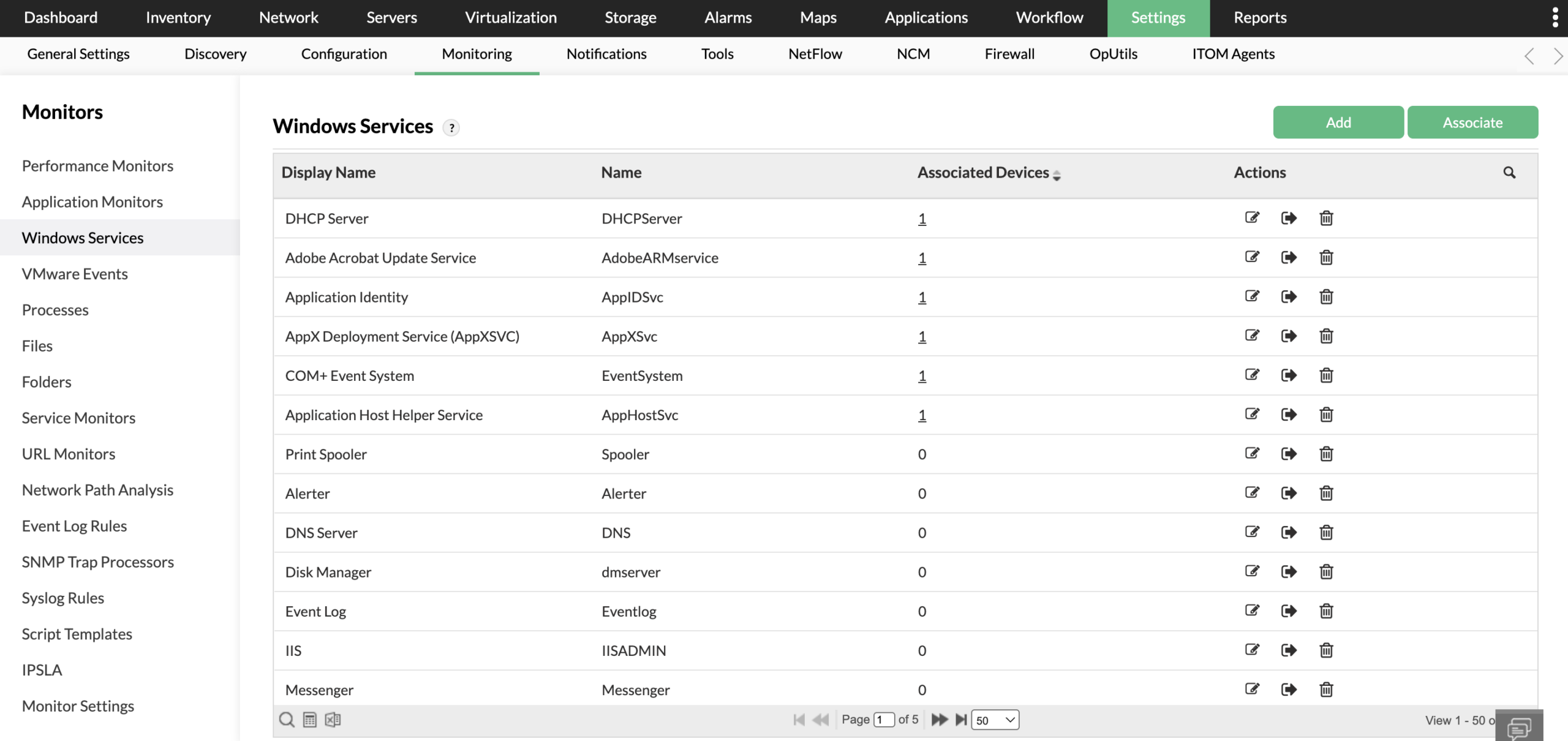
Monitoring strategies often depend on enterprise-grade tools that bring multiple capabilities together within a single platform. ManageEngine OpManager Plus is one such solution that demonstrates how modern monitoring software can help address common challenges in Windows service monitoring.
OpManager Plus supports monitoring for a wide range of Windows services, including widely used system services and custom-defined ones. This allows organizations to track not only standard infrastructure components but also critical proprietary applications that support business operations.
It also provides visibility into service relationships, helping administrators understand dependencies and quickly identify root causes when issues arise. Instead of investigating each service individually, teams can trace failures back to the underlying source.
Alerting features enable notifications through multiple channels when services stop, restart unexpectedly, or exceed defined thresholds. This helps teams respond quickly without constantly watching dashboards. In addition, performance monitoring capabilities provide insights into resource usage and service behavior, enabling administrators to detect degradation even when a service remains technically running.
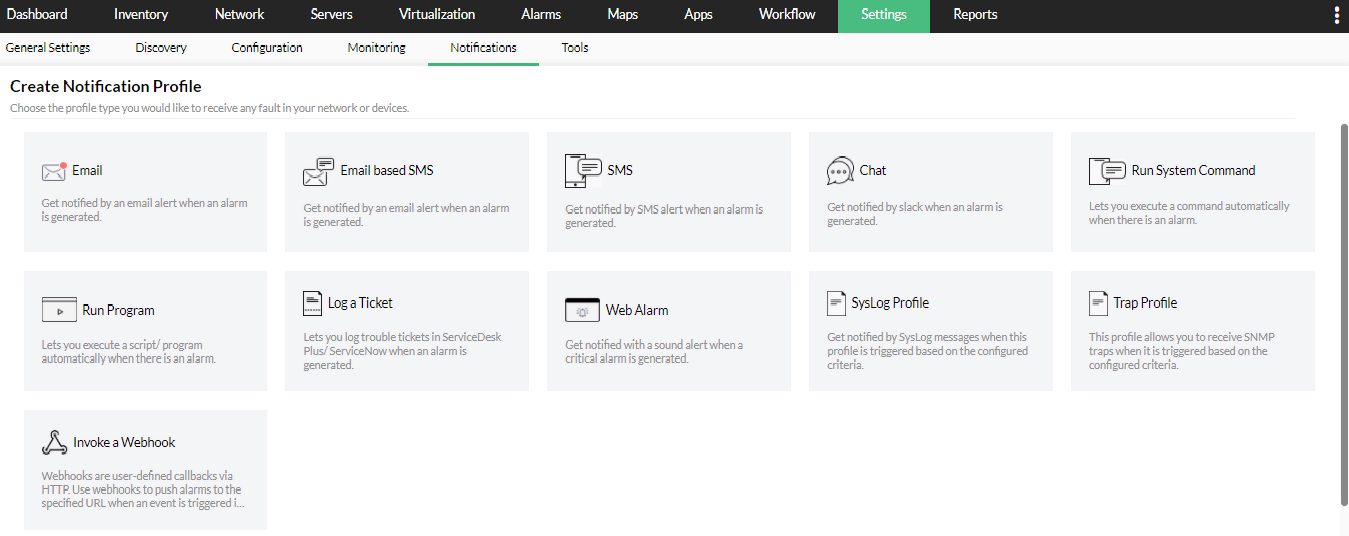
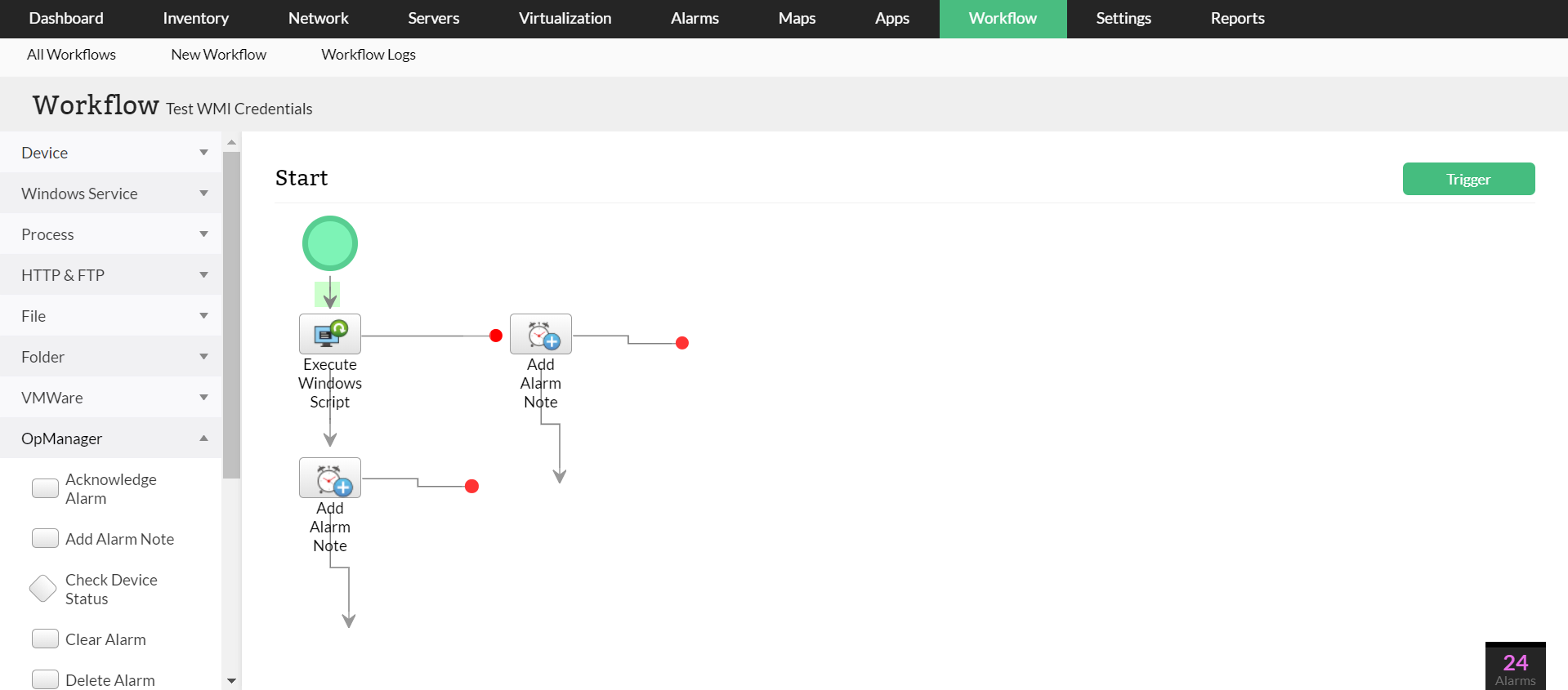
Automation features further enhance operational efficiency by allowing predefined corrective actions, such as restarting services or executing scripts, when issues are detected. A unified dashboard consolidates service health information across distributed environments, giving IT teams a centralized control point for monitoring and management.
Conclusion
Windows services are fundamental to the stability and performance of enterprise systems, yet their background nature makes them easy to overlook until something fails.
In the end, ensuring the health of Windows services is key to maintaining reliable and efficient IT operations. As environments become more complex, organizations benefit from monitoring solutions that provide clear visibility, actionable alerts, and quick remediation options. Platforms like ManageEngine OpManager Plus, for instance, show how centralized monitoring and automation can simplify service management, helping IT teams prevent disruptions and keep systems running smoothly.

Leave a Reply